
Generative AI in Cybersecurity Explained
Generative AI, which is AI that creates new text, summaries, and code from patterns it learned, is now a working tool inside security teams, not just a topic in vendor slides. Security teams face far more alerts, logs, and messages than humans can read one by one, and much of that work is reading, sorting, and explaining. A generative model can read a messy alert, pull out the important facts, compare them with known attack patterns, and draft a plain language summary in seconds. That speed matters, because the first hour of an incident often decides how much damage spreads, and a clear summary helps a tired analyst act correctly instead of guessing under pressure.
This guide explains the real uses, the honest limits, and the safety rules that keep an AI helper from becoming a new risk. It covers threat detection, malware analysis, phishing triage, incident response, and reporting, and it is direct about what AI cannot do: it cannot guarantee accuracy, it cannot replace human judgment on high stakes decisions, and it can be fooled by crafted input. If you are new to the underlying technology, Google Cloud's introduction to generative AI explains models and training in plain terms, and the NIST Cybersecurity Framework gives a useful frame for where each use below fits: identifying risks, protecting systems, detecting attacks, responding, and recovering.
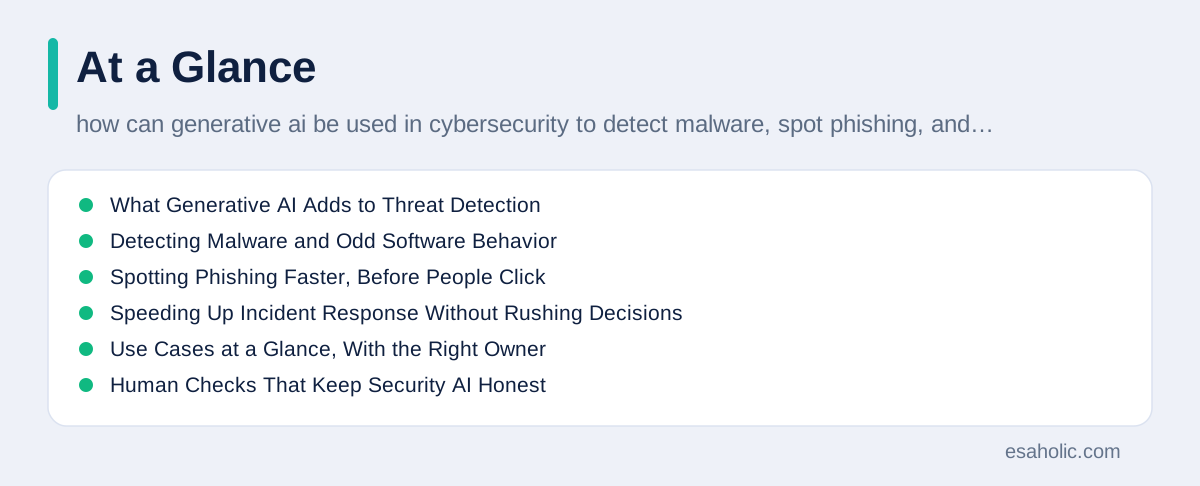
What Generative AI Adds to Threat Detection
Traditional detection tools match events against rules, such as blocking a known bad file or flagging a login from an unusual country. Rules are fast and reliable for known threats, but they struggle with new attacks that do not match any existing rule. Generative AI adds a second layer: it can read context across many signals at once, such as a login time, a device, a file change, and a network connection, and describe why the combination looks odd even when no single signal breaks a rule. That ability to connect weak signals is where it earns its keep, because real attacks often look normal in any single log and suspicious only when the logs are read together.
A practical example helps. Suppose an employee account logs in at 3 a.m. from a new device, opens a rarely used admin tool, and downloads a large file. A rule might flag only the unusual hour. A generative model can summarize the whole chain, note that the device was never seen before, check whether the download matches the employee's normal work, and suggest the next check, such as confirming with the employee through a separate channel. The analyst still decides, but the decision starts from a clear story instead of a pile of raw logs. The risk to manage is overtrust: a fluent summary can sound certain even when the evidence is thin, so teams should require the model to cite the logs behind each claim and should treat any claim without a source as unverified.
Tuning matters as much as buying. A model that flags everything creates alert fatigue, which is the state where analysts start ignoring warnings because most of them are false alarms, and a model tuned too strictly misses real attacks. Start with a narrow use, such as summarizing alerts from one system, measure the false alarm rate for two weeks, and widen the scope only when the numbers improve. Share the results with analysts honestly, including the misses, because a team that trusts the tuning process will use the tool well, while a team handed a black box will either overtrust it or ignore it.
Detecting Malware and Odd Software Behavior
Malware detection used to depend heavily on signatures, which are fingerprints of known harmful files. Signatures still work for known files, but attackers now change their code often enough to dodge them. Generative AI helps by focusing on behavior instead of fingerprints: it learns what normal software does, such as which files it opens and which network addresses it contacts, and it flags programs that behave in unusual ways, even when their code looks new. An analyst can then ask the model to explain the flag in plain words, such as which actions were unusual and which normal programs behave similarly, which speeds up the decision to block, investigate, or clear the file.
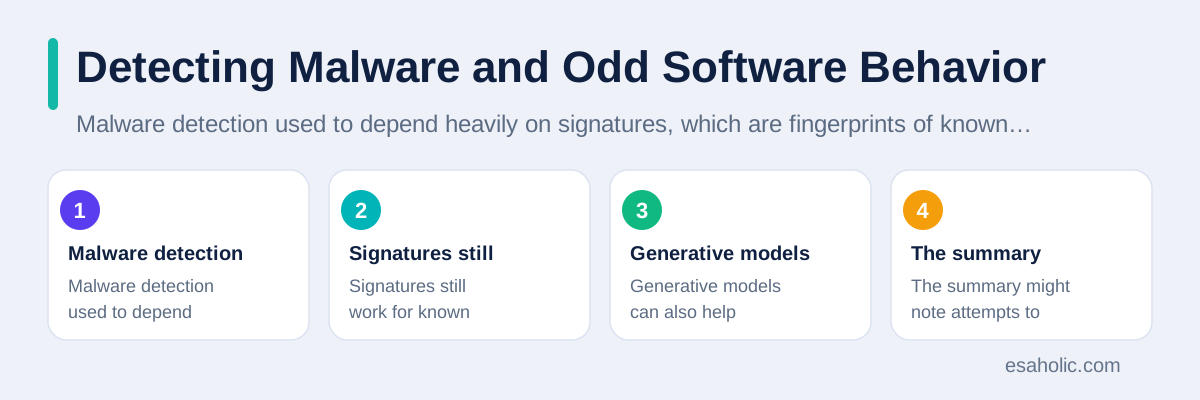
Generative models can also help analysts read malware safely. Instead of opening a suspicious file on a work machine, an analyst can run it in a sandbox, which is an isolated test environment that cannot reach real systems, and ask the model to summarize what the sample tried to do. The summary might note attempts to hide, to copy itself, or to contact an outside server, and it can suggest which parts of the system to check next. This is powerful, but it needs care: the model can misread obfuscated code, which is code deliberately made hard to read, and it can miss a step that a human specialist would catch. Treat AI malware summaries as a first draft for a trained analyst, never as a final verdict, and keep the actual sample handling inside approved tools and isolated systems.
Spotting Phishing Faster, Before People Click
Phishing, which is a fake message designed to trick someone into revealing passwords or clicking a harmful link, has become harder to spot because generative AI also helps attackers write convincing messages. Defenders can use the same technology in reverse: a model can check a message's sender, links, wording, and urgency cues, compare them with legitimate messages from the same organization, and explain the mismatch in plain language. For example, it can note that a message claims to come from a bank but links to a newly registered domain, which is a web address created very recently, or that the tone and formatting differ from real bank messages. That explanation helps both filters and people, because a warning that says why is more likely to be believed than a warning that only says danger.
Teams get the best results when they pair AI triage with human reporting. Employees should still report suspicious messages with one click, because reported messages become training examples that improve the filter for everyone. Security teams can use generative AI to group similar reports, draft a warning to staff about a new campaign, and suggest which accounts or systems to check. The limits matter here too: attackers test their messages against common filters, so a model that only looks at wording will eventually be fooled by better wording. Combine message checks with technical checks, such as link reputation, sender authentication, and attachment scanning, and never let an AI verdict alone decide whether a reported message is safe. Our guide on how to spot fake Gmail messages covers the human checks that pair with these tools, and our guide on steady habits that keep malware out covers the device habits that protect you when a message does slip through.
Speeding Up Incident Response Without Rushing Decisions
When an incident is confirmed, the response team must contain the damage, find how the attacker entered, remove the attacker, and restore normal service, often while managers and customers ask for updates. Generative AI helps by drafting the boring but essential paperwork: a timeline of events from logs, a list of affected systems, a first draft of a containment plan, and status updates in plain language for non-technical readers. Those drafts save hours, and hours matter when an attacker is still active. A good team treats every draft as a starting point: an analyst checks each timeline entry against the logs, confirms each affected system, and approves the plan before anyone acts on it.
Playbooks, which are written step by step plans for common incidents, become more useful when AI can adapt them to the current case. Instead of reading a generic ransomware playbook from start to finish, an analyst can ask which steps apply to this specific incident, which evidence to collect first, and which steps can wait. The model can also flag missing evidence, such as a log source that stopped recording, so the team fixes the gap before it matters. The danger is automation without approval: an AI should never be allowed to wipe a device, block a whole department, or notify regulators on its own. Keep a human approval step for every irreversible action, log every AI suggestion and every human decision, and review those logs after the incident so the team learns what the model got right and wrong.
Communication during an incident deserves the same care as the technical fix. A generative model can draft a short update for managers that states what is known, what is still unknown, and what happens next, without technical jargon and without guessing at facts that are not yet confirmed. That discipline protects trust: customers and managers forgive an honest unknown far more easily than a confident statement that later proves wrong. Keep a single approved wording for external updates, route every draft through the incident lead, and update it at fixed times so people do not fill silence with rumors.
Use Cases at a Glance, With the Right Owner
The table below summarizes the strongest uses and who should own each one. The pattern is consistent: AI prepares, explains, and drafts, while a named human verifies, decides, and owns the outcome. Teams that skip the human column end up with fast answers nobody can defend, while teams that keep it get both speed and accountability.
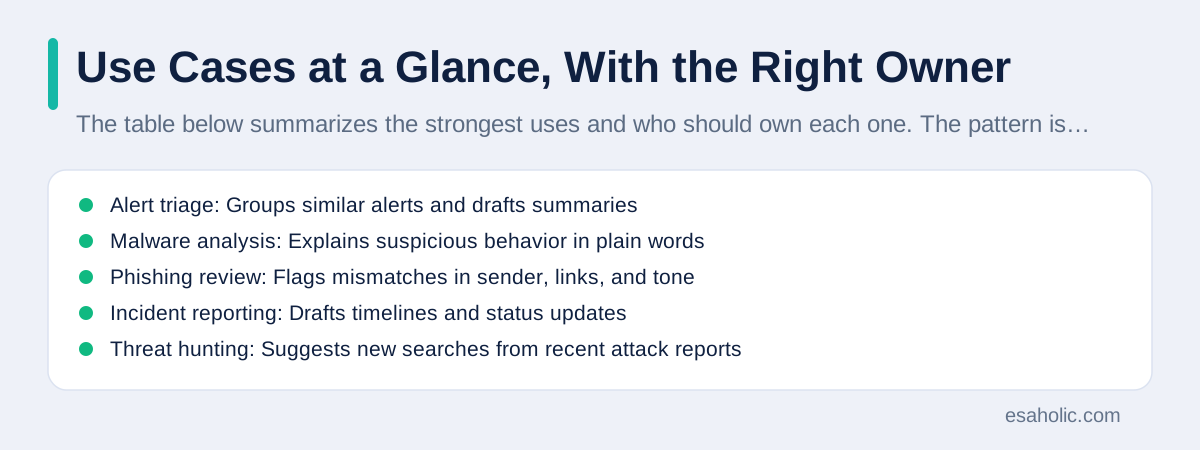
| Use case | What AI does well | Human owner |
|---|---|---|
| Alert triage | Groups similar alerts and drafts summaries | Security analyst verifies the summary |
| Malware analysis | Explains suspicious behavior in plain words | Malware specialist confirms the verdict |
| Phishing review | Flags mismatches in sender, links, and tone | Security team decides block or release |
| Incident reporting | Drafts timelines and status updates | Incident lead approves every external update |
| Threat hunting | Suggests new searches from recent attack reports | Hunter validates each lead against logs |
Threat hunting deserves a note, because it is less visible than alert triage but often more valuable. Threat hunting means proactively searching for signs of an attack that no alert caught, guided by recent reports about attacker techniques. A generative model can read a public attack report, translate it into search queries for your own logs, and explain what a match would look like. A hunter then runs those searches, checks any matches by hand, and either clears them or opens an incident. This turns public research into private defense quickly, but it only works when the hunter understands the attack well enough to spot a bad translation. If the model invents a search that sounds plausible but matches nothing real, the team wastes time and may miss the real signal, so every AI suggested hunt needs a human sanity check before it counts as coverage.
Reporting is another quiet win. After an incident, teams must write reports for managers, auditors, and sometimes regulators, and those reports take days when analysts must rebuild the story from scattered logs. A generative model can draft the first version from the approved timeline, with each claim tied to a log entry, so the analyst spends time checking and correcting instead of writing from scratch. The draft must never be sent unchecked, because a small error in a date, a system name, or a scope statement can mislead an auditor or a customer. But a checked draft is faster, more consistent, and easier to compare across incidents, which helps the team spot patterns, such as the same entry point appearing twice in one quarter.
Human Checks That Keep Security AI Honest
Three checks separate a useful security AI from a risky one. First, require sources: every important claim in an AI summary should point to a log, a file, or a report the analyst can open. Second, require a second opinion on high stakes calls: if the AI recommends blocking a user, wiping a device, or declaring an incident over, a second person or a second tool should confirm it. Third, keep a review sample: each week, a senior analyst should re-check a random set of AI handled alerts and note where the model was wrong, vague, or overconfident. Those notes become training and tuning work, and they stop the team from slowly trusting the model more than the evidence deserves.
Data handling is the other half of honesty. Security logs and messages often contain personal data, internal addresses, and credentials, and sending them to an unapproved public tool can create a breach out of a defense effort. Before any security use, confirm in writing whether the vendor trains on your inputs, how long it stores them, who can access them, and how you can delete them. Prefer private or enterprise tools with clear data controls for real incidents, and use made up examples for demos and training. Our separate guide on keeping secrets out of development tools covers the same discipline for code, and the same rule applies here: if you would not email the data to a stranger, do not paste it into an unapproved AI tool. For teams building these systems, generative AI development work and AI agent development services should include these data and review controls from the first design, not as an afterthought.
Small teams can start even smaller. A team of one or two people does not need an enterprise platform to benefit: a private, approved model that summarizes one alert queue each morning, drafts one weekly threat summary, and helps write one playbook can save several hours a week. The key is to pick tools with clear data handling, to keep the human approval step even when the team is busy, and to write down which uses are approved and which are not. A one page approved use list, shared with everyone who touches security tools, prevents the most common mistake, which is a well meaning employee pasting a real incident log into a public chatbot to get a faster summary.
Honest Limits, and What Attackers Do With AI Too
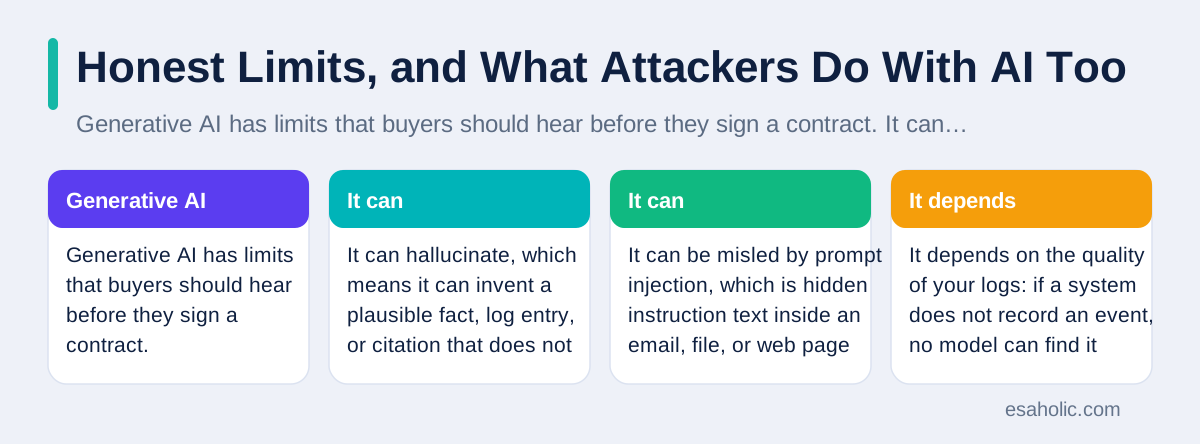
Generative AI has limits that buyers should hear before they sign a contract. It can hallucinate, which means it can invent a plausible fact, log entry, or citation that does not exist, and it does so in confident language. It can be misled by prompt injection, which is hidden instruction text inside an email, file, or web page that tries to make the model ignore its rules. It depends on the quality of your logs: if a system does not record an event, no model can find it later. It also ages quickly: a model trained months ago may not know this month's attack techniques unless it is connected to fresh threat data. Each limit has a mitigation, such as source citations, input filtering, better logging, and fresh data feeds, but none of them removes the limit entirely.
Attackers use generative AI too, and pretending otherwise leaves defenders unprepared. They use it to write phishing messages in fluent language, to create fake support pages, to summarize stolen data faster, and to vary malware code so signature checks miss it. That does not mean defense is hopeless. It means defense must assume that convincing messages and novel malware will arrive, and must rely on layers that do not depend on wording alone: sender authentication, link and attachment checks, behavior monitoring, least privilege access, which means giving each account only the access it truly needs, and backups. A team that builds those layers and uses AI to operate them faster will be harder to beat than a team that buys an AI product and relaxes. The CISA home page links to current guidance and alerts that help teams track how attacker use of AI is evolving, and regular reading of those alerts is part of the job.
Staff training should cover AI specific risks, not just general phishing awareness. Teach employees that an AI assistant can be tricked by pasted text, that a polished message is not proof of legitimacy, and that sensitive data should never go into a tool the organization has not approved. Run short tabletop exercises, which are discussion based practice sessions without a real incident, where the team walks through a fake AI assisted attack and a fake AI mistake, and agrees on who checks what. Those exercises are cheap, they surface gaps in approval steps, and they build the habit of pausing before acting on an AI suggestion, which is the habit that prevents the costliest mistakes.
Attackers also use AI to run large campaigns, and compliance monitoring helps teams spot activity that breaks their own rules.
Conclusion
Generative AI earns its place in cybersecurity when it makes human analysts faster and clearer: it sorts alerts, explains malware behavior, triages phishing, drafts incident timelines, and turns public threat research into private searches. It fails when teams let it decide alone, trust it without sources, or feed it sensitive data through unapproved tools. Build the human checks first, sources for every claim, approval for every irreversible action, and a weekly review of AI handled work, then let the model speed up the work inside those guardrails. Used that way, it is a strong assistant for a security team, and it never becomes a replacement for one.
Frequently Asked Questions
Can generative AI replace a security team?
No. Generative AI can sort alerts, draft summaries, and explain suspicious behavior faster, but it cannot take responsibility for a decision, understand business context the way a human can, or guarantee that its output is correct. The strongest setups use AI to prepare work and humans to verify and decide, especially for blocking accounts, wiping devices, or notifying customers.
What data should never go into a public AI security tool?
Never paste passwords, API keys, customer personal data, internal network diagrams, or unredacted security logs into a public tool unless your organization has approved that tool and its data handling in writing. Use synthetic examples, which are made up examples that mimic real patterns, or a private tool approved for sensitive data, and check your vendor contract before you share anything real.
How do you know if a security AI tool is actually helping?
Measure it the same way you measure any security tool: how many real threats it catches, how many false alarms it creates, how much faster analysts finish triage, and how often its explanations prove correct on review. If a tool only sounds impressive in a demo but does not improve those numbers on real alerts over several weeks, it is not earning its place.
Written by Ahmad Jajja
Senior AI Research Engineer and Generative AI Specialist
Ahmad Jajja is a senior AI research engineer at Esaholic who specializes in generative AI and data systems grounded in real documents.
Reviewed by Umar Abbas
Founder, Principal AI Architect and Operator
Umar Abbas is the founder of Esaholic and a principal AI architect who designs reliable large scale AI systems for regulated industries.
Relevant blogs
Computer Virus Prevention: A Simple Home Guide
Simple steps that keep malware off your computer, from updates and safe downloads to backups and quick recovery.
Gmail Users Warned About Sophisticated Ai-Driven Phishing Attacks: How To Spot And Stop Them
What the phishing warning means, how to spot fake messages, and steps that protect a Gmail account.
Browser Agent Security Risk: Safe Ways To Use AI Agents
What browser agents can leak, click, or get tricked into doing, and how to use them safely.
Virtual Private Networks: How VPNs Protect You
How a VPN encrypts your connection, hides traffic on public Wi-Fi, and what it cannot protect.
Back to all blog guides · Back to Cybersecurity and Networking guides · Explore Generative AI Development Services