
Building Agentic AI Applications with a Problem-First Approach
An agentic AI application is a program that plans a task, uses tools to carry out the steps, checks its own work, and reports back to a person. An agent differs from a simple chatbot, because a chatbot mainly answers one question and stops, while an agent keeps going across several steps until it finishes a job or reaches a clear stopping point. A support agent, for example, can read a customer message, pull up the order record, check the return policy, draft a reply, and ask a human to approve it before it sends anything. The power of that pattern also creates its risk, because each extra step gives the agent another chance to misunderstand a fact, pick the wrong tool, or act on bad data.
A problem-first approach protects you from that risk. It means you start with a real user problem, describe it in plain words, and set a measurable goal before you choose a model, a framework, or a vendor. You ask who struggles, what they struggle with, how often it happens, and what a good result looks like in numbers. Only then do you ask which tools the agent needs, which data it may read, and which actions need a human approval. Teams that skip this order often build an impressive demo that nobody trusts in daily work, because the demo solves a problem nobody actually had, or it solves the right problem in a way that creates new errors.
This guide walks through building agentic AI applications with a problem-first approach, step by step, from naming the problem to running a small pilot and deciding whether to scale. It explains each idea in plain language, so you can follow it even if you do not write code yourself. It also shows where agents genuinely help, where a simpler tool works better, and which safety checks matter most. If you want background on the wider field first, IBM's guide to agentic AI explains the core ideas in clear terms, and Google Cloud's introduction to agentic AI covers common patterns and use cases.
What Problem-First Really Means
Problem-first means you treat the user problem as the contract and the technology as the servant of that contract. You write the problem down in one or two sentences that a non-technical reader can understand, and you refuse to start building until that sentence survives a short test. The test asks three questions. First, does a real person face this problem today, or does it only sound interesting in a meeting? Second, does the problem cost real time, money, or trust when it goes wrong? Third, can you tell, after one week of use, whether the agent made things better or worse? If you cannot answer all three, you do not have a problem yet. You have an idea, and ideas need more research before they earn engineering time.
Problem-first also means you pick the smallest agent that can prove value. A team that wants faster invoice handling does not need an agent that reads every document in the company on day one. It needs an agent that handles one invoice type, from one supplier, with clear rules for when it must stop and ask a human. That narrow start teaches you more than a broad launch, because every failure points at one specific step you can fix. It also limits damage, because a narrow agent touches fewer systems and fewer customers while you learn. Our AI agent development services follow this same pattern, and our workflow automation services cover the simpler cases where a fixed workflow beats an agent outright.
Name the User and the Pain
Start by naming one user group, not five. A support team lead, a warehouse clerk, and a finance analyst may all want help, but they face different pains and they judge success differently. Pick the group that feels the pain most often, and interview three to five people from that group before you write any code. Ask them to walk you through the last time the problem happened, step by step, and note where they waited, where they guessed, and where they copied data by hand. Those moments of waiting, guessing, and copying point straight at the work an agent can remove, and they also reveal the traps, such as a missing document or an approval rule that nobody wrote down.
Write the pain as a story with numbers. A weak problem statement says, "Support replies feel slow." A strong one says, "Support agents spend about 20 minutes per refund case because they open three systems, copy the order number by hand, and wait for a supervisor to confirm the policy." The second version tells you what to measure, which systems the agent must reach, and which step causes the delay. It also tells you when to stop, because if the agent cannot cut that 20 minutes without raising errors, it has not solved the problem. Keep this story visible through the whole project, and check every feature request against it. If a requested feature does not shorten that story or reduce its errors, park it for later.
Watch for hidden users too. The person who files a request is not always the person who pays for a mistake. A customer benefits when a refund moves faster, but the finance team owns the risk when a refund goes to the wrong account. A problem-first team talks to both sides early, so the agent serves the customer without breaking the finance team's rules. This step takes a few days, but it saves weeks of rework later, because it surfaces approval rules, privacy limits, and audit needs before the agent touches live data.
Define Success in Numbers Before You Build
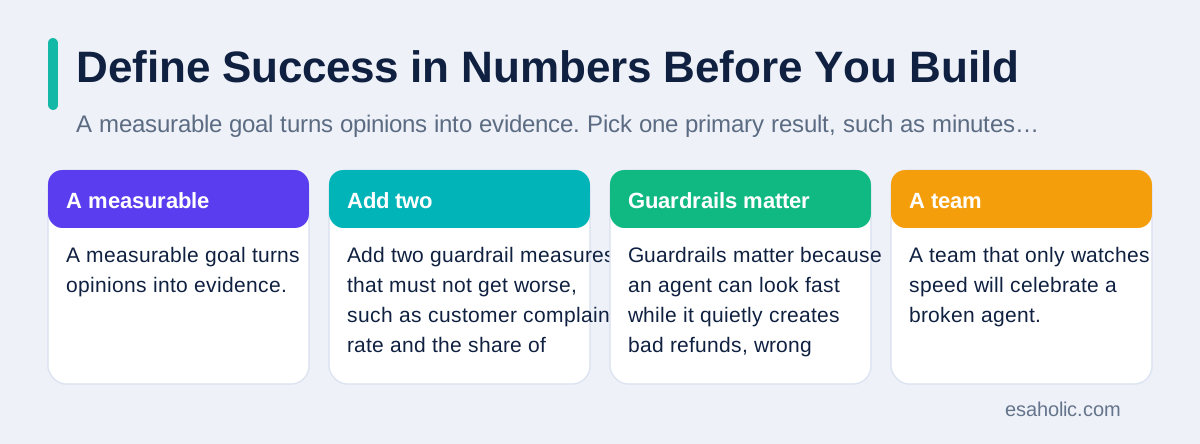
A measurable goal turns opinions into evidence. Pick one primary result, such as minutes saved per case, percentage of cases resolved without a second contact, or error rate per hundred tasks, and set a target that the old way of working cannot already reach. Add two guardrail measures that must not get worse, such as customer complaint rate and the share of cases that need a human rescue. Guardrails matter because an agent can look fast while it quietly creates bad refunds, wrong shipments, or angry customers. A team that only watches speed will celebrate a broken agent.
Agree on how you will measure before the pilot starts. Write down where each number comes from, who owns it, and how often you will review it. If you measure time saved, decide whether you count clock time or staff time, and whether you include the human review step. If you measure accuracy, build a small answer key first, where a human expert records the correct result for twenty to fifty real cases. The agent then earns its score against that key, not against its own opinion of its work. This discipline sounds dull, and it is exactly what separates a serious project from a demo. Teams that skip it argue about results for months, because nobody agreed on the ruler.
Set a kill rule as well as a success rule. A kill rule says, "If the error rate passes 2 percent in the pilot, we pause and fix the agent before we add more users." A kill rule protects your credibility, because it proves you will stop a bad launch rather than defend it. Share the success rule and the kill rule with everyone who will use or judge the agent, so the pilot verdict feels fair when it arrives. People accept a pause much more easily when they agreed on the rule in advance.
Map the Agent Workflow on Paper First
Draw the workflow before you code it. List each step the agent must take, the tool it uses at that step, the data it reads, and the decision that moves it to the next step. Mark every step where the agent could go wrong, and write the fallback for that step. A fallback might mean asking the user a clarifying question, checking a second source, or stopping and handing the case to a human with a clear summary. An agent without fallbacks is not autonomous in a useful sense. It is just unsupervised, and unsupervised software in a business system creates surprises that someone else must clean up.
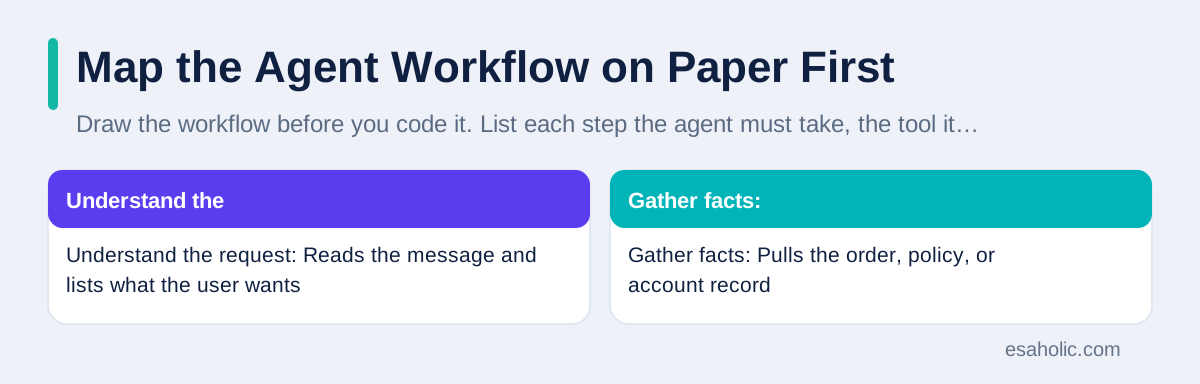
| Workflow step | What the agent does | Tool or data it uses | Fallback if it fails |
|---|---|---|---|
| Understand the request | Reads the message and lists what the user wants | The message itself and past case history | Asks one clear follow-up question |
| Gather facts | Pulls the order, policy, or account record | Company systems and trusted documents | Stops and shows what it could not find |
| Plan the next action | Chooses the smallest safe step first | Written rules and approval limits | Hands the plan to a human for approval |
| Act and check | Drafts the reply or updates the record | Approved tools only, never open access | Undoes the draft and logs the reason |
| Report back | Shows what it did and what sources it used | A short log the user can read | Flags the case for human review |
This table also guides your build order. You build the understand step and the gather step first, because an agent that cannot read the right facts cannot act safely no matter how good its language sounds. You add acting power last, after the agent proves it can read, plan, and report correctly in tests. Many teams reverse this order because acting looks exciting in a demo, but acting first means the agent makes real changes before anyone trusts its judgment. A problem-first team earns acting power step by step, with evidence at each stage. Readers who want a related pattern can read our guide on retrieval grounded agents that check sources before they answer, which shows how a search and check loop keeps an agent honest.
Set Scope and Limits Early
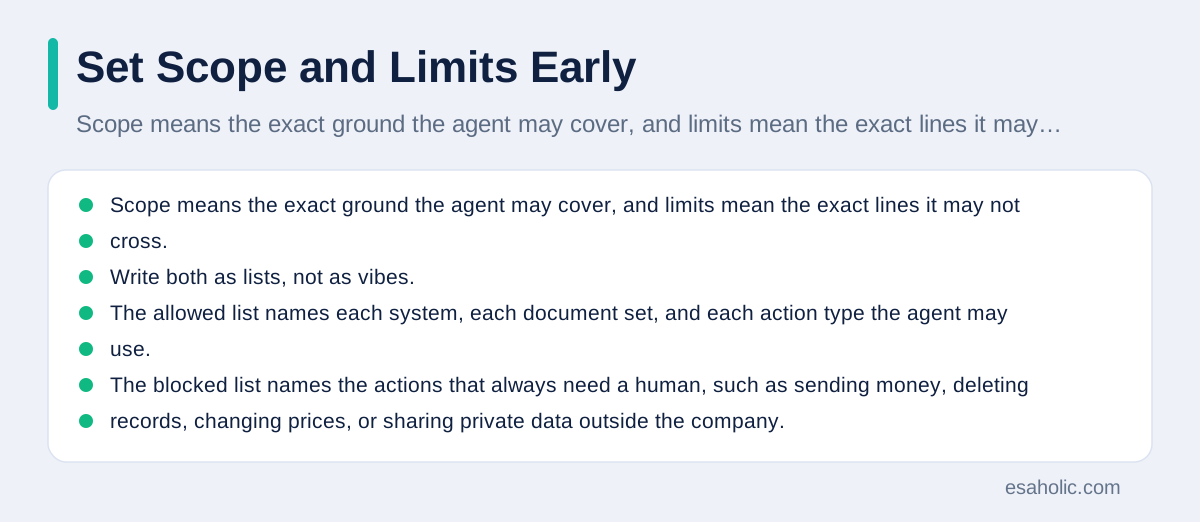
Scope means the exact ground the agent may cover, and limits mean the exact lines it may not cross. Write both as lists, not as vibes. The allowed list names each system, each document set, and each action type the agent may use. The blocked list names the actions that always need a human, such as sending money, deleting records, changing prices, or sharing private data outside the company. The limits list also sets practical caps, such as a maximum number of tool calls per task, a maximum run time, and a maximum cost per task. Caps stop runaway loops, where an agent repeats a failing step dozens of times and burns money while it learns nothing.
Limits also protect the user experience. An agent that can message customers directly needs stricter limits than an agent that only drafts replies for staff. An agent that reads health or financial records needs tighter privacy rules than one that reads public help pages. Match the limits to the stakes, and write them where the whole team can see them. When a stakeholder later asks why the agent did not take a shortcut, the limits list gives a clear answer, and it stops the slow drift where each small exception quietly expands the agent's power until nobody remembers the original boundary.
Review the scope after the pilot, not during it. Changing scope mid-pilot muddies the evidence, because you can no longer tell whether a better result came from a better agent or from an easier task. Hold the scope steady, collect clean evidence, and then decide whether to widen it. That discipline keeps the project honest and it keeps the team focused on the original problem instead of chasing every new request that arrives during testing.
Check Data Readiness Before You Build
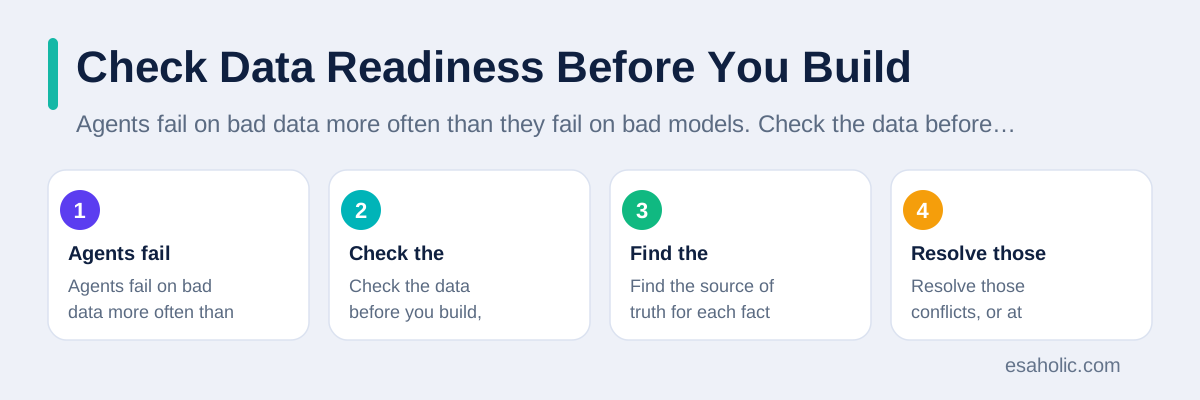
Agents fail on bad data more often than they fail on bad models. Check the data before you build, and fix the worst gaps first. Find the source of truth for each fact the agent will use, which means the one system or document that everyone agrees holds the correct version. If two systems disagree about prices, policies, or stock levels, the agent will pick one and sometimes pick wrong, and users will blame the agent for a data problem it did not create. Resolve those conflicts, or at least teach the agent which source wins when they disagree, before the pilot starts.
Clean the data in the narrow scope you chose, not across the whole company. Remove duplicates, fill the missing fields that matter, and mark records that are out of date. Test the agent's reading step on the messiest real records you can find, not only on clean examples, because live work always includes messy records. Also check privacy from the start. Remove private fields the agent does not need, keep test data separate from live customer data, and never paste real passwords, health details, or payment data into a test prompt. A data check takes days, but it prevents the most common pilot failure, which is an agent that answers confidently from the wrong record.
Plan for data freshness too. Policies change, prices change, and stock changes, so the agent needs a way to notice when its facts grow stale. A simple rule helps, such as checking the source system on every task rather than trusting a copy from last month, or flagging any answer that rests on a document older than a set date. Freshness checks cost a little speed, and they save a lot of trust, because users forgive a slow correct answer far more easily than a fast wrong one. For background on how teams ground answers in documents, our guide on what a generative AI data scientist does explains the data and testing work behind reliable AI features.
Run a Small Pilot With Real Cases
A pilot proves value on real work, not on a demo script. Pick ten to fifty real cases from the narrow scope, run the agent on them under supervision, and score every result against the human answer key you built earlier. Include hard cases on purpose, such as incomplete requests, conflicting records, and unusual wording, because easy cases flatter every agent. Record the result of each case in a simple sheet: what the agent did, which tools it used, whether a human had to rescue it, and how long the whole task took. Patterns in that sheet tell you exactly what to fix next.
Keep humans in the loop during the pilot, even for steps you plan to automate later. A reviewer reads each agent action before it reaches a customer, and the reviewer marks each action as correct, fixable, or wrong. That review data becomes your best training material, because it shows the real failure modes instead of the ones you guessed. It also protects customers, because no pilot mistake reaches them uncaught. Some teams resist this review step because it feels slow, but a pilot without review teaches you nothing about safety, and safety is the question that decides whether leaders approve a wider launch.
Fix the top three failures before you scale, and rerun the same cases to prove the fixes worked. Resist the urge to add new features during this fix cycle, because new features hide whether the old failures truly healed. When the pilot passes its success rule and stays inside its guardrails, you have earned the right to widen the scope by one step, such as one more document type or one more user group. Scale in steps, with a fresh check at each step, and the project stays boring in the best sense: predictable, measured, and trusted. Our generative AI development work uses this staged pattern, and our guide on sorting email with an AI agent shows the same pilot discipline on a smaller, everyday task.
Add Human Review and Safety Checks
Human review is not a sign of weakness. It is the control that lets an agent act in a business without gambling on every case. Design three review levels and assign each action to one of them. Low risk actions, such as drafting an internal summary, can run with a log only. Medium risk actions, such as drafting a customer reply, need a quick human approval before they go out. High risk actions, such as refunds, account changes, or external messages, need a full human check with the sources visible. This tiered design keeps staff time focused where mistakes cost most, instead of forcing a human to approve every trivial step.
Logging makes review possible. Log the request, the facts the agent read, the tools it called, the decision it made, and the confidence it reported, in words a non-technical reviewer can follow. A log that only engineers can read does not count as oversight. When a user complains, the log should let a reviewer reconstruct the agent's reasoning in minutes, not days. Keep logs for a sensible period, protect them like other business records, and review a sample of them every week even after launch, because agent behavior drifts as data and user wording change.
Add a stop button and an undo path for every action that changes something outside the agent. A stop button lets staff halt a runaway task at once. An undo path lets them reverse a bad update without calling a developer. Test both before launch, because a safety control that nobody tested will fail on the day you need it. Also set an alert for unusual patterns, such as a sudden spike in tool calls, a run of low confidence answers, or several rescues in one hour. Alerts turn silent failures into visible ones, and visible failures get fixed fast. NIST's AI Risk Management Framework gives a useful structure for thinking about these controls in a risk-based way.
Measure Honestly and Decide Whether to Scale
After the pilot, compare the agent against the old way of working on the same measures you set at the start. Report the primary result, both guardrails, the rescue rate, and the cost per task in one short page, with the raw case counts beside the percentages. Percentages without counts mislead, because a 90 percent success rate on ten cases means far less than the same rate on five hundred cases. Be honest about the cases the agent still fails, and name the fix for each failure type, or admit that some cases should stay with humans permanently. Not every task needs full automation, and a mixed design where agents handle routine cases and humans handle edge cases often beats a forced full automation.
Talk to users, not only to dashboards. Ask pilot users what felt faster, what felt confusing, and where they stopped trusting the agent. Users notice friction that numbers hide, such as an agent that answers quickly but writes in a tone that customers dislike, or one that asks the same clarifying question twice. Fix tone and repetition problems with the same seriousness as accuracy problems, because trust decides adoption. An agent that users avoid, even if it scores well in tests, delivers zero value in practice.
Scale only when the evidence supports it, and scale in one step at a time. Widen the scope to the next user group or the next document type, run the same measurement for two weeks, and check the guardrails again before the next step. Keep the kill rule live after launch, so a drift in data quality or a change in user behavior triggers a pause rather than a quiet decline. A problem-first project never really ends, because problems change, data changes, and users change. The teams that succeed treat the agent as a living service with an owner, a review rhythm, and a budget for fixes, not as a one-time build that someone launches and forgets.
When a Simpler Tool Beats an Agent
Agents earn their cost only when a task needs judgment across steps. A fixed rule beats an agent when the steps never change, the data always looks the same, and the correct action is obvious. A search tool beats an agent when the user only needs one fact from one document. A form beats an agent when the user can state the request in a few fields without ambiguity. Choosing the simpler tool is not a failure of ambition. It is good engineering, because simpler tools cost less, fail less often, and explain themselves more easily. A problem-first team keeps a short list of these simpler options beside every agent proposal, and picks the agent only when it clearly outperforms them on the measured problem.
Cost also shapes this choice. An agent that calls a model many times per task costs more per task than a single search or a fixed rule, and those costs grow with volume. Estimate the cost per task during the pilot, multiply it by the expected monthly volume, and compare it with the time the agent saves. If the agent saves two minutes per task but costs more than those two minutes are worth, the business case fails even when the technology works. A frank cost check early in the project prevents an embarrassing launch where leaders love the demo and reject the bill.
Finally, remember that a problem-first approach starts with people, not with a model release. New models will keep arriving, and each one will tempt teams to rebuild around the newest feature. A team with a clear problem, a measured goal, and a working pilot can judge each new model calmly: does it improve the measured result, lower the cost, or reduce the rescue rate? If it does none of those, the team can ignore it without guilt. That calm judgment is the real prize of the problem-first approach, because it turns AI from a fashion choice into a reliable tool that serves a known problem, earns trust case by case, and scales only when the evidence says it should.
Conclusion
Building agentic AI applications with a problem-first approach means you earn the right to automate, step by step. You name one real problem, measure it, map the workflow, set limits, check the data, pilot on real cases, and keep humans in charge of risky actions. That discipline takes a little longer at the start, and it saves far more time later, because it stops impressive demos from becoming untrusted launches. Start narrow, prove value with numbers, fix the top failures, and scale only when the evidence supports the next step. In practice, AI agent development is the work that turns a measured pilot into a production system.
Frequently Asked Questions
What does a problem-first approach mean for agentic AI?
A problem-first approach means you define the user, the pain, and the measurable result before you pick a model or a tool. You build the smallest agent that can prove value on real cases, then you expand only when the results justify it.
When should you not use an agentic AI application?
You should not use an agent when a simple form, a fixed rule, or a single search gives the same result faster and with less risk. Agents earn their place when a task needs several steps, several tools, and judgment about what to do next.
How do you measure whether an agentic AI application works?
You measure it against the old way of working: time saved per task, error rate, cost per completed task, and user satisfaction. You also track how often a human had to step in, because a high rescue rate means the agent is not ready to scale.
Written by Umar Abbas
Founder, Principal AI Architect and Operator
Umar Abbas is the founder of Esaholic and a principal AI architect who designs reliable large scale AI systems for regulated industries.
Reviewed by Danish Mustafa
Senior Agentic AI Engineer and Systems Architect
Danish Mustafa is a senior agentic AI engineer at Esaholic who builds AI agents, voice systems, and messaging systems for real customers.
Relevant blogs
Agentic RAG Explained: Architecture, Agents, and Uses
How retrieval grounded agents plan searches, check sources, and answer from your own documents.
How to Use an AI Agent to Sort Emails: A Simple Guide
Set rules, connect your inbox safely, and review the first week before you trust an email agent.
Who Is a Generative AI Data Scientist? A Simple Guide
What a generative AI data scientist does, the skills the role needs, and how to start this career.
Natural Language Processing Explained Simply
How computers read, understand, and reply to human language, where you meet NLP daily, and its honest limits.
Back to all blog guides · Back to Generative AI and Agentic AI guides · Explore AI Agent Development Services