
Cross Platform Mobile Programming Explained
Every phone app faces the same first problem. Android phones and iPhones run different systems, and an app built only for one system does not run on the other. A small team that builds two separate apps needs two teams, two code bases, which means two separate copies of the app code to maintain, and twice the testing. That cost is why many teams choose a shared approach instead. In shared app building, developers write most of the code once, and a tool turns that code into apps for both systems. The result is not magic, and it is not free, but for many products it is the fastest honest path to both app stores.
This guide explains that shared approach in plain language: how it works, which tools teams use, what parts can be shared and what parts cannot, how performance and testing really behave, and how to choose between shared code and separate native apps. Native code means code written for one system only, using that system's own language and tools. You do not need a programming background to follow this guide, because every technical term is explained where it first appears. If you are planning an app, this guide will help you ask better questions of any developer or agency, and it will help you spot promises that sound too good to be true, such as "write once, run perfectly everywhere, with no extra work."
How One Code Base Serves Two Phone Systems
A shared code base works by separating the parts of an app that are the same on every phone from the parts that differ. The parts that are usually the same include screens, navigation, forms, account logic, and rules such as "a user must confirm an order before paying." Developers write those parts once in a shared language, such as JavaScript or Dart. Dart is the programming language used by the Flutter tool, and JavaScript is the language of the web that React Native also uses. The shared tool then connects those parts to each phone system, so a button written once appears as a proper button on both Android and iPhone.
The parts that differ stay separate on purpose. Each phone system has its own way of handling payments, notifications, cameras, maps, and permissions, which are the approvals an app must ask for before using a camera or location. A shared tool provides ready made connectors, called plugins or packages, for the common cases, and developers write small native pieces for the rare cases. That split is the key idea of the whole approach. Share everything that is truly the same, and keep a small, clearly marked native layer for everything that is truly different. Teams that respect that split ship faster. Teams that pretend no differences exist spend their savings fighting the phone systems later.
There are three broad ways to share code, and they differ in how close the result sits to the phone system. A web view app wraps a website inside a simple app shell, which is fast to build but feels like a website and struggles with phone features. A framework app, such as React Native or Flutter, renders real phone controls from shared code, which feels much closer to a native app. A fully native app shares almost nothing, which gives the most control at the highest cost. Most serious products that choose sharing pick the middle path, because it balances speed, feel, and access to phone features. The React Native getting started guide shows how the framework path works in practice.
Building Apps for Both Stores With One Team
The business case for sharing is simple: one team, one roadmap, and one set of bug fixes. When a bug appears in shared code, the team fixes it once and ships the fix to both stores. When a feature is added, designers design it once and developers build it once, with small adjustments for each system. That matters most for small and mid sized teams, where hiring two full teams would double the payroll without doubling the product. It also matters for speed. A startup that needs to learn whether users want its app at all should reach both stores in months, not spend a year building two versions of an unproven idea.
Sharing also simplifies planning. Product managers track one feature list instead of two lists that slowly drift apart. Support teams answer one set of questions instead of explaining why the Android app and the iPhone app behave differently. Data teams read one set of events, because the same code sends the same signals from both systems. These benefits compound over time. Two separate apps do not just cost twice as much on day one. They cost more every month, because every change, every test, and every store update must happen twice, and the two versions slowly diverge until users on one system get a worse product.
There is a cost to sharing too, and honest guides name it. The team must learn the shared tool, keep it updated, and wait for it to support new phone features after each system update. Apple and Google release new system versions every year, and a shared tool needs time to catch up. Teams should budget for that lag, and they should avoid building an app that depends on a brand new system feature on the day it launches. A shared approach also adds a layer between the developer and the phone, which can make rare, deep problems harder to debug. For most content and commerce apps, that cost is small. For apps built around a new sensor or a new system feature, it can be decisive.
Tools Teams Actually Use
React Native is the most common choice for teams that already know JavaScript and web development. It lets developers write phone screens with components, which are reusable building blocks such as a button or a card, and it renders those components with real phone controls. Its large community means ready made packages exist for maps, payments, and notifications, and hiring developers is easier than for smaller tools. Its limits appear in apps with very heavy animation or complex gestures, where developers may need to write native pieces to keep motion smooth. The React documentation explains the component thinking behind this tool. The choice between frameworks is compared in detail in React vs React Native, which weighs web and mobile use of the same ideas.
Flutter is the main alternative, and it takes a different approach. Instead of using the phone's own controls, Flutter draws every pixel itself with its own rendering engine, which is the part of a tool that turns code into what you see on screen. That gives designers exact control over how the app looks on both systems, and it keeps motion smooth because the drawing path is the same everywhere. The trade off is a larger app download and a look that can feel slightly different from a fully native app, because Flutter controls are drawn, not borrowed from the system. Teams that care most about a single, exact design across systems often prefer Flutter. The Flutter documentation is a good place to see that approach in detail.
Other options fit narrower cases. A progressive web app, often shortened to PWA, is a website that can be installed like an app and can work with limited network, but it cannot reach every phone feature and it does not appear in app stores in the same way. MDN explains progressive web apps clearly, including their limits. Web view wrappers suit internal tools and simple content apps, where speed matters more than polish. The right question is never "which tool is best in general." It is "which tool fits this product, this team, and this deadline." A team that already knows JavaScript should rarely switch languages for a single app, and a team that needs pixel perfect design on both systems should look hard at Flutter.
Multi Platform Development in Daily Practice
Day to day, multi platform work looks like normal app development with extra checkpoints. Developers build a feature, run it on an Android phone and an iPhone, and fix the differences they find. Common differences include fonts that render slightly larger on one system, keyboards that cover input fields, and back navigation that behaves differently. Android users expect a system back button, while iPhone users expect a back control inside the app. A good team designs for both patterns from the start, instead of designing for one system and patching the other at the end. That design habit saves more time than any tool choice.
Data and accounts deserve special care in shared apps. Login, payments, and saved data should behave identically on both systems, because users switch phones and expect their account to follow them. That means the server side, which stores accounts and orders, must be the single source of truth, and both apps must read from it in the same way. Offline behavior, which means what the app does without network, also needs a shared rule: which screens work offline, what data is saved on the phone, and how conflicts are resolved when the phone reconnects. Teams that decide these rules once, in shared code, avoid the classic bug where an order placed offline on one system vanishes while the same order on the other system survives.
Release work also changes with sharing. App stores review apps before listing them, and review rules differ between Google Play and the Apple App Store. A shared code base does not remove those reviews, and a rejection on one store still blocks that store even if the other store approves. Teams should plan store assets, which are the screenshots, descriptions, and privacy answers each store requires, for both stores from the start. They should also plan update paths: small fixes can ship through normal store updates, while urgent fixes may need a staged rollout, which means releasing to a small share of users first and watching for crashes before reaching everyone. Our guide on fast product tests with early models helps teams validate an app idea before committing to a full build.
Performance, Honestly Measured
Performance arguments about shared code are often exaggerated in both directions. Critics claim shared apps are always slow, and fans claim users cannot tell the difference. The truth depends on the app. For browsing, forms, search, and messages, a well built shared app feels as fast as a native app, because the time is spent waiting for the network and drawing simple screens, not running heavy code. Users notice slow networks and large images far more than they notice the framework. Teams should therefore spend performance effort on image sizes, list rendering, and network calls before blaming the tool.
Where shared code can lag is in heavy, continuous work: complex animations, large scrolling lists with rich media, games, and real time video processing. In those cases, the extra layer between shared code and the phone can add delay, and developers may need native pieces for the hot paths, which are the parts of code that run most often. A practical rule is to measure on a low cost, older phone, not only on the latest flagship device. If the app feels smooth on a three year old phone, it will feel smooth for most users. If it only feels smooth on the newest phone, the team has a performance problem regardless of the tool. Profiling tools, which measure where time is spent in an app, should be part of every release, not a rescue step after complaints arrive.
Battery and app size also matter. Shared tools add a runtime, which is supporting code that ships inside the app, so shared apps are often larger than native apps. A few extra megabytes rarely matter for a popular app, but they matter for users with limited storage or slow connections. Teams should strip unused packages, compress images, and test the download size on a slow connection. Battery use follows the same rule as speed: an app that polls the network constantly or keeps the screen awake will drain battery in any framework, while an app that batches work and sleeps between updates will last longer. Good habits beat framework choice here, too.
Testing Across Two Systems Without Doubling the Work
Testing a shared app still requires both systems, and teams that skip one system will be embarrassed by the other. Automated tests, which are checks a computer runs without a human, should cover the core user journey: sign up, browse, buy or book, and sign out. Those tests run on both Android and iPhone builds in a continuous integration system, which is a service that builds and tests code automatically on every change. That automation catches regressions, which are bugs where a fix or feature breaks something that used to work, before they reach users. It does not replace human testing, because automated tests cannot judge whether a screen looks right or feels natural. The same testing discipline is covered in software testing basics, which explains how teams plan checks before release.
Human testing should focus on the places where systems differ. Test screen sizes from small phones to large tablets, test fonts at large accessibility sizes, test dark mode, and test what happens when a call interrupts the app or the network drops mid payment. Test on real phones, not only on simulators, which are computer programs that imitate a phone, because simulators hide performance and camera and sensor problems. A small device lab, with a few popular Android models and two iPhone models, covers most real world variation. Teams can also use cloud device services, which rent access to many real phones over the internet, for wider coverage before a major release.
Beta testing, which means letting a small group of real users try the app before public launch, is especially valuable for shared apps. Beta users on both systems will find the differences the team missed, such as a button that sits under a notch on one phone model or a payment sheet that behaves differently on each system. Release beta builds to both stores at the same time, collect crashes centrally, and fix shared bugs once. A shared code base makes beta feedback cheaper to act on, because one fix helps both groups. Teams building with outside help should ask how website and app development work handles testing on both systems before launch.
Choosing Shared Code or Native Code
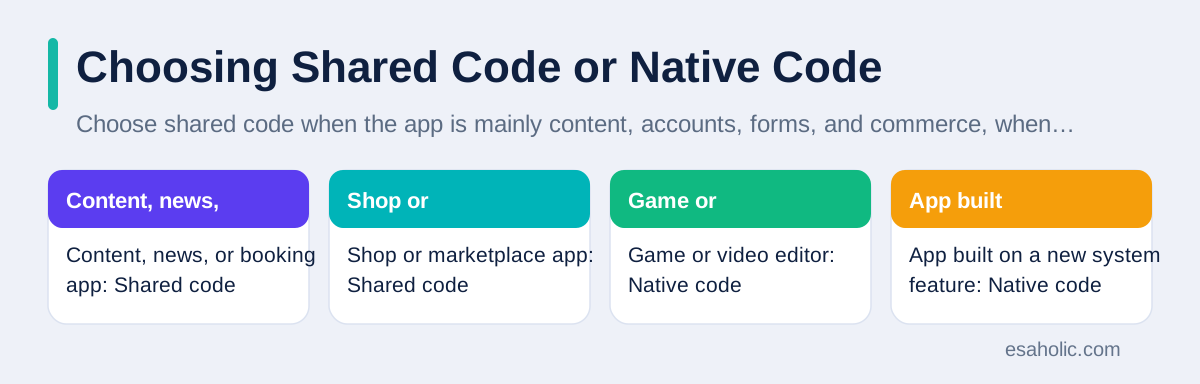
Choose shared code when the app is mainly content, accounts, forms, and commerce, when the team is small, when both stores matter from day one, and when the design can be shared with small system adjustments. Choose native code when the app depends on deep phone features, such as advanced camera processing, augmented reality, which overlays digital content on the real world through the camera, or background audio and video work, when the app must use a new system feature on launch day, or when the team already has strong native developers for each system. Neither choice is a moral judgment. Each choice trades speed against control, and the right trade depends on the product.
There is also a middle path that many mature apps take. Start shared to reach both stores and learn what users want, then move the heaviest screens or features to native code once the product earns the budget for two teams. That path is honest only if the team plans for it. Shared code should be organized so a screen can be replaced natively without rewriting the whole app, and data and accounts must stay in shared services, not inside screens. Teams that plan that escape route early keep their options open. Teams that treat shared code as permanent and unchangeable may find the rewrite harder than they expected, but that is a planning failure, not a flaw in sharing itself.
| App type | Best first choice | Why |
|---|---|---|
| Content, news, or booking app | Shared code | Screens and data are the same on both systems |
| Shop or marketplace app | Shared code | Accounts, carts, and payments can be shared |
| Game or video editor | Native code | Heavy graphics need direct access to the device |
| App built on a new system feature | Native code | Shared tools lag behind new system releases |
Conclusion
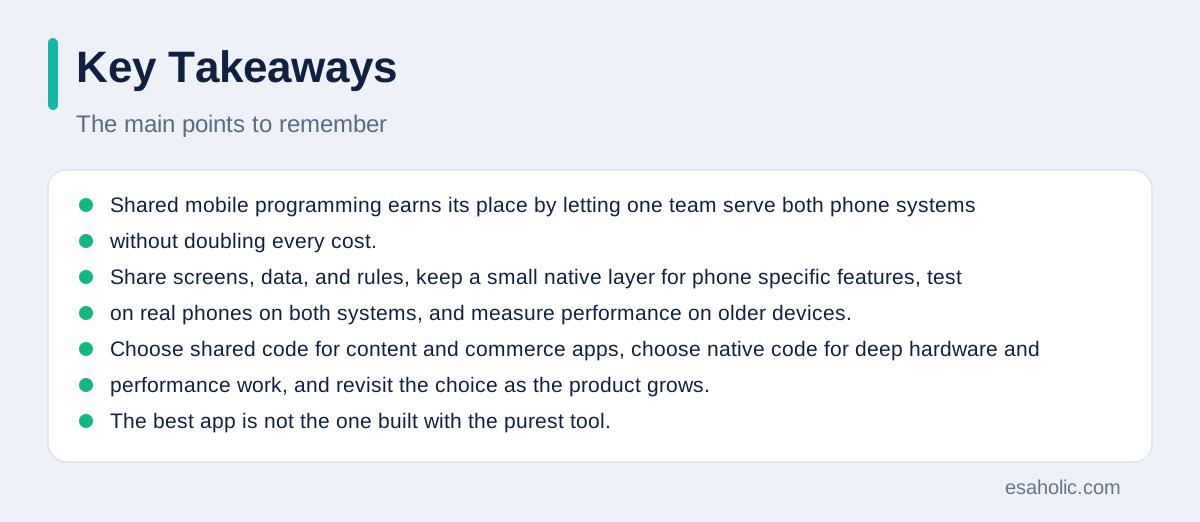
Shared mobile programming earns its place by letting one team serve both phone systems without doubling every cost. Share screens, data, and rules, keep a small native layer for phone specific features, test on real phones on both systems, and measure performance on older devices. Choose shared code for content and commerce apps, choose native code for deep hardware and performance work, and revisit the choice as the product grows. The best app is not the one built with the purest tool. It is the one that reaches both stores, works reliably, and keeps improving after launch.
Frequently Asked Questions
Is one code base enough for both Android and iPhone apps?
One shared code base can cover most of a typical app, including screens, data, and business rules, but phone specific parts such as payments, cameras, and push notifications often need small native pieces. Plan for roughly 80 to 90 percent shared code in a content app, and less in an app that depends heavily on phone hardware.
Do shared code apps feel slower than native apps?
Well built shared code apps feel fast for everyday tasks such as browsing, forms, and messages, because the slow parts are usually network calls and large images rather than the framework. Apps with heavy animation, games, or real time video need more care, and some of those cases still justify native code.
Should a new team choose shared code or native code first?
Choose shared code first when the app is mainly content, forms, and accounts, when the team is small, and when reaching both app stores quickly matters most. Choose native code first when the app depends on deep phone features, extreme performance, or the newest system features on day one.
Written by Umar Abbas
Founder, Principal AI Architect and Operator
Umar Abbas is the founder of Esaholic and a principal AI architect who designs reliable large scale AI systems for regulated industries.
Reviewed by Danish Mustafa
Senior Agentic AI Engineer and Systems Architect
Danish Mustafa is a senior agentic AI engineer at Esaholic who builds AI agents, voice systems, and messaging systems for real customers.
Relevant blogs
React vs React Native: Which One Should You Pick?
How React for the web differs from React Native for phones, and how to choose between them.
Rapid Prototyping: A Simple Guide to Fast Product Tests
How teams turn an idea into a testable model in days and learn fast without wasting budget.
Best AI Coding Assistants
How coding assistants help developers write, review, and fix code faster, and where human review stays essential.
Computer Vision Applications
How computers read images and video, and where vision systems help in real products.
Back to all blog guides · Back to Software Development guides · Explore Custom Software Development Services