
What Is a Distributed System? A Simple Guide
Search for a video, order a meal, or check a bank balance, and your request rarely reaches one computer. It travels across a network, which is the set of links that connect computers, to several machines that each play a role: one machine checks who you are, another finds the data, another records the payment, and another sends the result back to your screen. You never see that teamwork. You see one app, one account, and one answer. That illusion, many machines acting as one system, is the heart of the topic in this guide. Engineers call each participating computer a node, and they call the whole arrangement a system spread across machines. Each of those machines runs its own operating system, and what is a kernel explains the layer that manages its programs and hardware.
Why split work at all, when one strong computer feels simpler? Because one computer has hard limits. It holds only so much memory, it stores only so much data, and it processes only so many requests at once. Worse, one computer is one failure away from total outage: if it breaks, the whole service stops. Many machines solve both problems at once. They share the load, so each machine does a smaller share, and they cover for each other, so the service can keep answering even when one machine stops. That combination, more capacity plus more survival, explains why almost every large service you use daily runs on many machines, not one.
This guide explains the idea from scratch, with no assumed background. You will learn the core parts, why teams split work, how data stays safe across machines, how teams split data itself, how they handle the hard tradeoff between instant agreement and constant availability, how they survive failures, and when a single machine still wins. For authoritative background, Google Cloud's guide to systems spread across machines explains the concepts with diagrams, and Martin Fowler's patterns for such systems shows proven solutions for recurring problems.
The Core Parts: Nodes, Network, and Coordination
A system spread across machines has three core parts, and each part can fail in its own way, so the design must handle all three. The nodes are the computers themselves, and a node can be a physical server, a virtual machine, which is a simulated computer running on shared hardware, or a small container, which is a lightweight package that runs one program with its own files. The network is the set of links and switches that carry messages between nodes, and messages can arrive late, arrive out of order, or vanish entirely, which surprises beginners who assume a sent message always arrives. Coordination is the set of rules and shared facts that keep nodes working toward the same goal, such as which node owns a piece of data, which node leads a task, and how nodes agree on the current state.
Coordination matters because nodes cannot read each other's minds. If two nodes both accept an order for the last item in stock, the store will sell one item twice, and someone will face a refund and an apology. To prevent that, teams give one node, or a small elected group, the job of deciding the order of events, or they design the work so that double handling causes no harm. An order id that stays the same across retries, for example, lets a node recognize a repeated request and return the first result instead of charging twice. This property has a name, idempotency, which means repeating an action has the same effect as doing it once, and it saves distributed systems from a whole family of retry bugs.
Why Teams Split Work Across Machines
Teams split work for three honest reasons, and each reason maps to a real pain. The first reason is scale, which means handling more users, more data, or more requests than one machine can manage. A video site that serves millions of viewers at once cannot push all that video from one machine, so it places copies near viewers in many regions, and each region serves its own viewers. The second reason is survival, because a business that stops during a machine failure loses sales and trust, so it runs copies in more than one place and shifts traffic when one place fails. The third reason is closeness, because a user in Tokyo should not wait for a reply from a machine in Virginia when a closer machine can answer faster, so teams place work near the people who use it.
Scale itself takes two forms, and the distinction helps teams choose well. Vertical scaling means making one machine stronger, by adding memory or faster processors, which works up to a point, and then hits a ceiling where stronger machines cost far more for little gain. Horizontal scaling means adding more machines, which has no single ceiling, because the team can keep adding machines as load grows. Horizontal scaling demands the coordination work described above, so it costs design effort, but it also lets the team grow in small, affordable steps instead of buying one giant machine in advance. Most large services use both: each machine grows reasonably strong, and the team adds machines as demand grows.
Our guide to parallel and concurrent work explains how one machine splits work across its own processors, which is the smaller cousin of splitting work across machines. Our workflow automation services use multi machine designs when client workloads must keep running through failures and spikes. The key habit is to split for a measured reason, not for fashion: watch load, watch failure impact, and watch user locations, and let those numbers decide when one machine stops being enough.
Keeping Data Safe: Copies and Agreement
Data safety across machines rests on two ideas: copies and agreement. Replication, which means keeping copies of the same data on several machines, protects against loss and speeds up reads, because a nearby copy can answer fast. But copies raise a question: when one copy changes, how soon must the other copies change too. Strong agreement means every copy shows the new value before the system confirms the change, which keeps data correct but slows replies, because the system must wait for copies to catch up. Looser agreement means the system confirms fast and lets copies catch up shortly after, which feels fast but can briefly show stale data, which means old data that no longer matches the newest change, to some users.
Neither choice is always right, so teams pick by data type. Money balances, seat reservations, and stock counts usually need strong agreement, because a stale balance can let someone spend money twice. A social media like count, a product view count, or a recommendation list can tolerate loose agreement, because a brief delay harms nobody and speed matters more. Teams often mix the two in one product: the payment path uses strong agreement, while the feed and the counters use looser agreement. This mixing keeps the product both correct where correctness matters and fast where speed matters, and it shows why a single rule for all data rarely fits a real product.
Splitting Data Itself: Partitions and Shards
When data grows too large for one machine, teams split the data itself, not just the work. Partitioning, which means dividing a data set into parts, assigns each part to a different machine. Engineers often call each part a shard, and the rule that decides which shard holds a record is called the shard key. A store might shard users by the first letter of their name, so users A to M live on one machine and users N to Z live on another, or it might shard by a hash, which is a number computed from the record id that spreads records evenly. Even spreading matters, because a shard key that sends most traffic to one machine recreates the single machine problem inside a multi machine design.
Partitioning brings its own costs, and teams should weigh them before they split. A question that spans shards, such as a report across all users, must gather answers from every shard and combine them, which costs time and coordination. Moving a record between shards, or adding a new shard to handle growth, requires careful data movement while users keep working. For that reason, teams usually start with copies on a few machines, and they partition only when one machine truly cannot hold the data or answer fast enough. A premature split adds coordination cost before it adds value, while a timely split removes a bottleneck that copies alone cannot fix.
The Hard Tradeoff: Agreement Versus Availability
One famous result shapes every design in this field, and beginners should learn it early. During a network fault, which means a break or a long delay in the links between machines, a system cannot fully guarantee both instant agreement across copies and constant replies to users at the same time. This result goes by the initials CAP, after its three properties: consistency, which means all copies show the same data, availability, which means every request gets a reply, and partition tolerance, which means the system keeps working despite network faults. Since network faults will happen, teams must tolerate them, so the real choice during a fault is between agreement and availability, and the team must pick in advance, not during the outage.

An example makes the tradeoff concrete. Imagine two copies of a store stock count, one in New York and one in London, and the link between them breaks. A shopper in New York buys the last item. If the system favors agreement, the London copy must refuse sales until the link heals and the copies can agree, because selling from stale stock could oversell. If the system favors availability, the London copy keeps selling, accepts the risk of overselling, and reconciles later with refunds or backorders. Neither choice is wrong in general. A ticket seller for a sold out show should favor agreement, because overselling seats creates angry customers at the door. A shopping cart that saves items for later can favor availability, because a brief inconsistency harms nobody. The product, not the fashion, should decide.
Most systems do not pick one side for everything. They favor agreement for money and reservations, and availability for browsing, carts, and feeds, and they document the choice per data type so future developers do not reverse it by accident. They also test the choice, by deliberately breaking links in a safe test environment and watching which side the system takes. A team that has never tested a network fault will discover its choice during a real outage, which is the worst time to learn. Our guide to overall system structure shows how to record such tradeoff decisions, and Microsoft's guidance on data in cloud native systems explains data patterns for multi machine designs in detail.
Surviving Failures: Detection, Retries, and Fallbacks
Parts fail, and a good design assumes failure from the start. Detection comes first: health checks, which are small regular pings that ask "are you alive and ready," let the system notice a sick node fast and stop sending it new work. Timeouts, which are maximum waits for a reply, stop one slow node from freezing the whole request, because the caller gives up after a set time and tries another path. Retries help when a failure is brief, such as a dropped message, but retries need limits and delays, because blind retries during a real outage can flood a struggling system with repeated work and turn a small failure into a large one. A common safe pattern retries a few times with growing delays, and then stops.
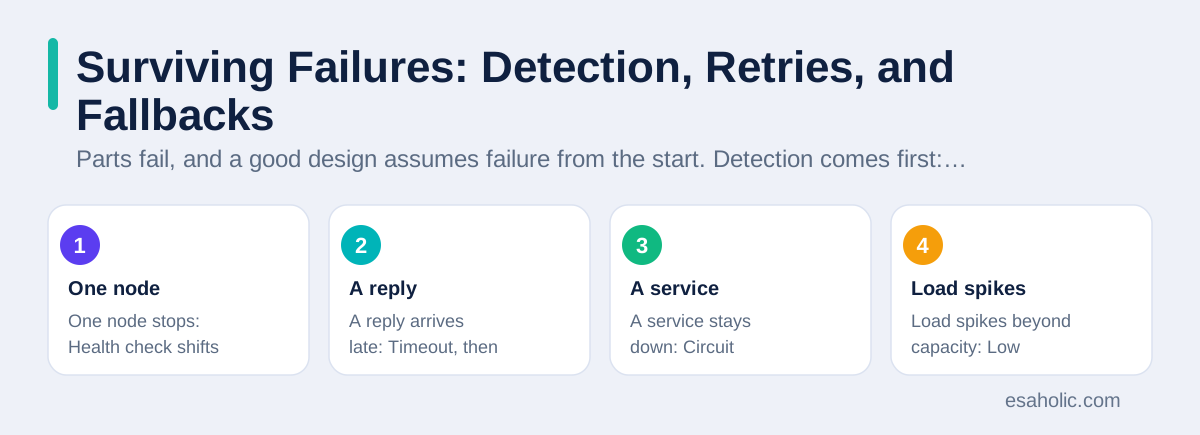
When retries fail, fallbacks keep the user experience graceful. A fallback is a safe degraded reply, such as showing cached product details when the live stock service fails, or letting a user save a draft when the publishing service fails, instead of showing a blank error page. Circuit breakers, which are switches that stop calling a failing service for a while, protect the failing service from extra load while it recovers, much like a fuse protects a circuit. Teams also run load shedding, which means deliberately dropping low priority work during a spike so that core work, such as checkout, keeps running. These patterns sound complex, but each one answers a simple question: when this part fails, what should the user see, and what should the system protect first.
| Failure | First response | User sees |
|---|---|---|
| One node stops | Health check shifts traffic away | Normal service, maybe slightly slower |
| A reply arrives late | Timeout, then retry on another node | A short wait, then a normal result |
| A service stays down | Circuit breaker opens, fallback serves | Cached or simplified content, not a blank page |
| Load spikes beyond capacity | Low priority work sheds first | Core tasks still work, extras wait |
One Example End to End: An Online Store Checkout
Follow one checkout through a multi machine store to see the parts working together. You tap Buy, and a web front end sends your order to an order service, which checks your cart, asks the stock service whether each item remains available, and asks the payment service to charge your card. Each service runs on several nodes, with copies of its data, so one node failure never stops the service. The order service records the order only after the stock service confirms and the payment service confirms, using the same order id across retries, so a repeated request cannot charge you twice. If the payment service replies slowly, the order service waits only up to its timeout, then retries on another node, and if the payment service stays down, it shows a clear message and keeps your cart safe, instead of taking money without recording the order.
After payment succeeds, the store must tell several other parts: the warehouse needs a pick list, the delivery tracker needs a shipment, and you need a confirmation email. Instead of calling each part directly and waiting for all of them, the order service publishes an order placed event, which is a simple message that states what happened, and each interested part reacts in its own time. This loose link keeps checkout fast, because checkout never waits for email delivery, and it keeps the system resilient, because a slow email service cannot block new orders. The tradeoff is that the warehouse may learn a few seconds after payment, which is fine for picking, while the payment itself used strong agreement, which is right for money. One product, several choices, each matched to its own stakes.
When a Single Machine Still Wins
Multi machine designs cost real effort, so teams should check whether they need that effort at all. A single machine wins when load fits comfortably, when the team is small, when data must agree instantly across every record, and when the product is still searching for its first users. A single machine is easier to test, because a test can start the whole product in one place, easier to debug, because one log shows the whole story, and easier to run, because one deployment covers everything. Many successful products run on one machine for years, and they split only when load, failure impact, or team size gives a measured reason. Starting simple is not a lack of ambition. It is a way to spend scarce effort on users first, and on distribution when distribution earns its keep.
When the time to split arrives, split in small steps, not in one big rewrite. Extract one clear boundary first, such as search or reporting, run it beside the old system, compare results, and move traffic gradually. Keep the old path available until the new path proves itself under real load, and record each tradeoff, as our guide to connecting company systems recommends for any system that must keep old and new parts in agreement. Our support and maintenance services help teams run that gradual migration without downtime. A team that splits gradually learns the new failure modes one at a time, while a team that splits everything at once learns them all on launch day.
Conclusion
A distributed system is many computers that coordinate over a network and appear to users as one system. Teams split work to gain capacity, survival, and closeness to users, and they pay for those gains with coordination, copies, and tradeoff decisions. Replication protects data, partitioning splits large data sets, the agreement versus availability tradeoff guides choices during network faults, and detection, retries, and fallbacks keep failures graceful. Start on one machine when it suffices, split gradually when measured load demands it, and match each data choice to its own stakes, so the system stays both fast and trustworthy as it grows.
Frequently Asked Questions
What is a distributed system in simple terms?
A distributed system is a group of computers that work together over a network and appear to users as one system. Each computer, called a node, handles part of the work or part of the data, and the computers coordinate so users see one store, one account, or one service instead of many separate machines.
Why do companies split a system across many computers?
Companies split a system to handle more users, to survive a machine failure, and to place work near users in different regions. One machine has fixed limits on speed, memory, and storage, while many machines can share the load, cover for each other, and grow by adding more machines.
When should a team avoid building a distributed system?
Avoid a distributed system when one machine handles the load, when the team is small, or when strong instant agreement across all data matters more than scale. A single well built system is simpler to test, debug, and run, so teams should split only when real load, failure risk, or team size demands it.
Written by Amir Iqbal
Senior AI Systems Architect and Lead Technical Reviewer
Amir Iqbal is a senior AI systems architect at Esaholic who reviews code and architecture and keeps live AI systems fast and reliable.
Reviewed by Umar Abbas
Founder, Principal AI Architect and Operator
Umar Abbas is the founder of Esaholic and a principal AI architect who designs reliable large scale AI systems for regulated industries.
Relevant blogs
Software Architecture Explained Simply for Teams
How teams plan a system structure, choose patterns, and keep code easy to change as products grow.
Parallel Concurrent Processing Explained Simply
How overlapping tasks and truly simultaneous work differ, and how to choose threads, processes, and safe shared data.
Enterprise Application Integration Explained Simply
How companies connect their systems so orders, stock, and billing agree, without manual copying or fragile links.
API Design Principles: A Simple Guide for Teams
How to name resources, version safely, handle errors clearly, and document an interface that teams can trust.
Back to all blog guides · Back to Software Development guides · Explore Support and Maintenance Services