
What Is the Metaverse? A Plain Guide for Beginners
Imagine a video call where you do not just see small faces in boxes, but you step into a shared room, walk up to a colleague, and point at a model on the table together. That feeling of being present in a shared digital place is the heart of what people mean when they talk about the metaverse. The word sounds grand and futuristic, but the basic idea is simple: a virtual world, which is a computer made space that looks three dimensional, where people meet through digital characters, talk in real time, and do things together while they are far apart in real life.
The metaverse is not one website, one app, or one company product. It is a loose name for many virtual worlds, tools, and ideas that share a goal: to make online life feel more like being in a place than looking at a page. Some worlds focus on games, some on meetings, some on concerts, and some on training for jobs such as medicine or factory work. A person might visit a game world on a phone in the evening and join a work meeting in a different virtual room the next morning, and both visits count as time in virtual spaces, even though the two worlds may have nothing to do with each other.
This guide explains the metaverse in plain language, without hype and without assuming you own any special gear. You will learn what virtual worlds are, how avatars work, what headsets and other devices actually add, what people really do in these spaces, what virtual items and money mean in practice, and what risks to watch for before you spend time or money. By the end, you will be able to judge a metaverse claim the way you would judge any other product claim: by asking what it does, who controls it, what it costs, and what happens if you stop using it.
What the Word Really Means
The word metaverse comes from a science fiction novel, where it named a virtual world that people entered instead of the real world. Over time, companies and writers borrowed the word for a much wider set of things, and that borrowing is why the word now feels confusing. One company may use it to mean a headset product, another may use it for a game, and a third may use it for a plan to connect many worlds one day. When you hear the word, the most useful question is not what the word means in theory, but what this particular product lets you do today, on what device, and with whom.
A practical definition helps. A virtual world is a shared digital space where many people can be present at the same time, move around, see each other, and change things in the space. Presence, which is the feeling of really being somewhere, matters more than fancy graphics. A simple world with blocky characters can feel present if you can hear friends clearly, move naturally, and work together. A beautiful world can feel empty if it lags, which means it responds slowly, if voices cut out, or if you cannot find anyone to talk to. Good design, clear sound, and smooth movement matter more than the number of pixels on the screen.
It also helps to separate the metaverse from three nearby ideas. Virtual reality, often shortened to VR, is a technology that covers your eyes with screens and blocks out the real room, so the digital world fills your view. Augmented reality, often shortened to AR, adds digital images on top of the real world, so you still see your room, your desk, and the people near you. A virtual world can use VR, AR, a phone screen, or a computer screen, and the same world may look different on each device. Our guide to how AR overlays help accountants see numbers clearly shows AR in a practical work setting, which is a good contrast to the game worlds most ads show.
One Metaverse, or Many Separate Worlds?
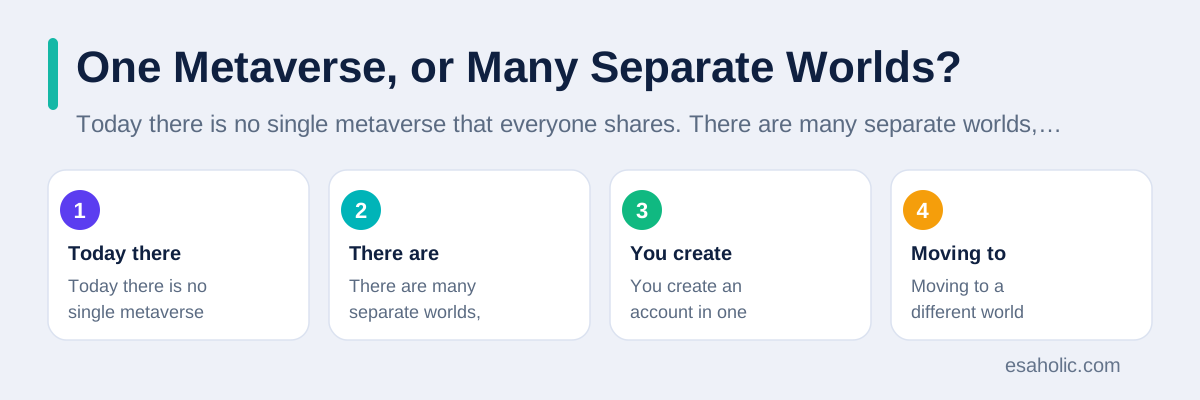
Today there is no single metaverse that everyone shares. There are many separate worlds, each with its own rules, accounts, avatars, and items. You create an account in one world, build or buy an avatar there, and that avatar usually stays in that world. Moving to a different world often means starting again with a new account and a new avatar, and items bought in one world rarely work in another. This is similar to how a game character from one game does not appear in a different game, even if both games run on the same console.
Some companies and standards groups want to change that, and they talk about interoperability, which is a plain word for systems that work together. In an interoperable future, your avatar, your friends list, and some of your items could travel with you from world to world, much like an email address works across many apps today. That future would need shared rules for identity, which is proof of who you are, for item ownership, and for safety, and companies would need to agree on those rules even when they compete. Progress exists, but it is slow, and no honest guide can promise a date when it will be finished. For now, treat every world as its own place with its own borders.
Avatars and Identity: Who Are You in a Virtual World?
An avatar is the digital character that represents you in a virtual world. It can look like you, look like a cartoon version of you, or look nothing like you at all. Some people choose an avatar that matches their real appearance so colleagues recognise them in work meetings. Others choose a robot, an animal, or a fantasy character for games, because play feels freer when appearance is not tied to real life. Neither choice is wrong, and the right choice depends on the setting: a work meeting rewards a clear, professional avatar, while a game rewards imagination.
Identity in a virtual world is more than a face. It includes your display name, your voice, your movement style, and your history in that world, such as the rooms you built or the events you hosted. Over time, other people learn to trust an avatar the way they learn to trust a person, because they remember past conversations and shared work. That trust is real, but it is also easy to fake, because anyone can copy a name or a look. In work and money settings, check identity outside the world too, for example through a known email address or a video call, before you share sensitive information or send payment.
Privacy needs extra care with avatars, because virtual worlds can collect more than a username. A headset can track head turns, hand moves, and eye direction, and a world can record voice, movement patterns, and who you spend time with. That data can reveal habits, health clues, and social ties, so read the privacy settings before your first visit, turn off tracking you do not need, and keep personal details out of public rooms. For children, the stakes are higher, because young users may not recognise strangers or pressure tactics, so use age settings, private rooms, and adult supervision rather than relying on a world to protect a child by itself.
Headsets, Phones, and Computers: How You Actually Enter
You do not need a headset to visit most virtual worlds. A phone or a computer shows the world on a flat screen, you move with a keyboard, a mouse, or touch controls, and you talk through a microphone. This screen based way is cheaper, easier on the eyes, and often better for long meetings, because you can also see your notes, your calendar, and other apps at the same time. Many schools and small teams start here, and for good reason: the barrier to entry is low, and almost everyone already owns the device.
A VR headset adds a stronger sense of presence by placing a screen close to each eye and tracking your head, so turning your head turns your view. Hand controllers, or cameras that watch your hands, let you pick up objects, wave, and point in a natural way. That sense of being inside the room helps for training, such as practising a repair on a virtual machine, and for social events, where body language adds warmth. The cost is real, though: headsets cost money, need charging and updates, can feel heavy after a while, and can cause eye strain, headaches, or motion sickness, which is a queasy feeling when what your eyes see does not match what your body feels.
AR devices sit between these two paths. AR glasses or a phone camera add digital labels, models, or instructions on top of the real world, so a repair worker can see a part name floating next to the real part, or a student can see a heart model on a classroom table. This style suits work that must stay grounded in the real room, and it avoids the closed off feeling of a headset. The WebXR guide from MDN explains, in developer terms, how the web can reach both VR and AR devices, which shows why the same virtual content can appear on many kinds of hardware. For a beginner, the rule is simple: start on a screen, borrow or test a headset before buying one, and take breaks often.
What People Actually Do There
Games remain the most popular use, because games were the first virtual worlds most people tried. Players explore, build, compete, and create, often with friends who live in other cities or countries. Social worlds extend that idea beyond games: people attend concerts, visit art shows, join clubs, and simply hang out, much like meeting friends in a park, except the park is digital and the weather is always fine. These social uses explain why many worlds feel like a mix of a game, a chat app, and a public square.
Work uses are growing, but they are more modest than ads suggest. Teams hold meetings in virtual rooms when they want a shared whiteboard or a shared 3D model, for example when architects walk clients through a building before it is built, or when engineers inspect a machine design together. Training is often the strongest work use: a new hire can practise a risky task, such as handling equipment or responding to an emergency, in a safe virtual copy, make mistakes without real harm, and repeat the task until it feels natural. Short, focused sessions work best, because long headset meetings tire people faster than normal video calls.
The Virtual Economy: Items, Money, and Honest Limits
Virtual worlds have their own economies, which is a plain word for how goods, money, and work flow inside a system. Players and creators buy and sell digital clothes for avatars, furniture for virtual rooms, tools, tickets, and sometimes plots of virtual land. Some worlds use real money directly, some use in world currency that you buy with real money, and some use tokens recorded on a blockchain, which is a shared record that many computers hold at once. Whatever the currency, the key question stays the same: what do you actually own, and where can you use it?
In most worlds, buying a digital item means buying permission to use it in that world under that company's terms, not full ownership in the legal sense. The company can change the item, change the rules, or close the world, and your purchase may lose value or vanish. That risk is similar to buying a ticket to a show: you pay for an experience, not for a lasting asset. Creators can earn real income in popular worlds by selling items, hosting events, or building rooms for others, but earnings are uneven, depend on audience size, and come with platform fees and tax duties that beginners often miss. Treat creator income as a business to research, not as easy money.
Scams deserve a plain warning. Fake worlds, fake land sales, and fake item shops copy the look of popular platforms to steal payments or account logins. Never buy land or rare items through a link in a chat message, never share your password or recovery code, and check the official site before paying. Our guide to what a shared blockchain record proves about creative work explains why a record alone does not prove ownership, which is exactly the mistake many virtual land buyers make. If a deal promises guaranteed profit, fast riches, or a secret method, walk away, because honest virtual businesses promise an experience or a service, not a sure return.
Safety, Privacy, and Health: The Part Ads Skip
Virtual worlds feel social, so safety rules matter as much as in any public place. Strangers can approach your avatar, speak to you, follow you, or send unwanted messages, and some users behave worse behind an avatar than they would face to face. Learn the block, mute, and report tools before you need them, keep public rooms for public talk, and move private talks to rooms you control. If a world lacks easy safety tools, that absence is a reason to choose a different world, especially for school or youth groups.
Privacy settings deserve a first visit of their own. Turn off voice recording where you can, limit who can see your friends list and your location in the world, and think before linking a virtual account to a real name, a work email, or a payment method. Headset data, voice data, and movement data are sensitive, because they can reveal more than words alone, so prefer platforms that explain what they collect in plain language and let you delete data. IBM's plain overview of the metaverse also stresses governance and trust as open problems, which matches what users see in practice: the technology moves faster than the rules around it.
Health needs the same honest tone. Take a break every 20 to 30 minutes in a headset, drink water, and stop if you feel dizzy, tired, or sore. Keep the play area clear so you do not trip over furniture, and use guardian boundaries, which are digital fences that warn you when you near a real wall. Children should use headsets only with age guidance from the maker and adult supervision, and anyone with eye, balance, or seizure conditions should check medical guidance first. A virtual world should leave you refreshed or informed, not exhausted, and if it regularly leaves you drained, shorter sessions or a screen based visit is the better choice.
Who Builds These Worlds, and What Should You Check?
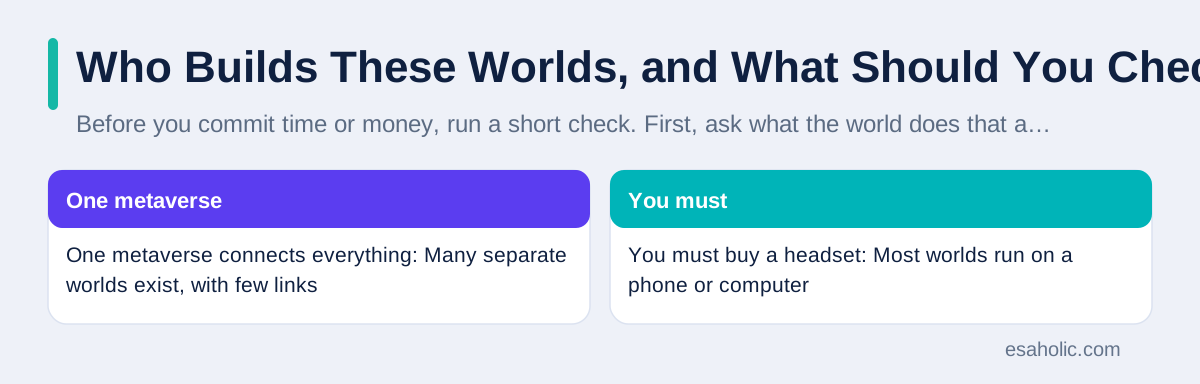
Before you commit time or money, run a short check. First, ask what the world does that a video call, a game, or a website cannot do as well, because if the answer is vague, the world may not be worth the effort. Second, check the device and internet needs: a world that needs a fast connection and a new headset excludes many people, while a world that runs on a phone welcomes them. Third, read the terms on items, refunds, and account closure, and fourth, look at the real user base: a world with an active, moderated community is safer and more fun than a beautiful but empty world. Teams that build such spaces often rely on custom software work and AI development services to handle avatars, voice, and moderation at scale, which is why small, well run worlds can still feel polished.
Business buyers should add one more check: data control. Ask where user data is stored, who can access it, how long it is kept, and how you can export or delete your team's work. A training world that holds your company's procedures should not also hold the right to reuse them for other customers without clear permission. For a deeper sense of how such claims are judged, read what the ARK augmented reality phrase really means, which shows how to separate a verified product from a catchy phrase. The same habit, ask for proof, check the source, and read the terms, protects you in virtual worlds too.
| Claim you may hear | What is actually true | What to do instead |
|---|---|---|
| One metaverse connects everything | Many separate worlds exist, with few links | Pick one world for one clear goal |
| You must buy a headset | Most worlds run on a phone or computer | Start on a screen, test a headset later |
| Virtual land is a safe investment | Value depends on platform rules and demand | Treat purchases as spending, not investing |
| Avatars protect your privacy | Voice and movement data can still reveal you | Use privacy settings and private rooms |
| Virtual meetings replace offices | Short sessions help, long ones tire people | Use virtual rooms for specific tasks only |
A Sensible Way to Try It
Start with a purpose, not with a purchase. Choose one goal, such as attending a public event, joining a friend in a game world, or running a short team training session, and pick a world known for that goal. Create a free account, use a screen first, and spend an hour learning movement, sound, and safety tools before inviting others. Bring one friend if you can, because exploring with a known person makes the first visit far less confusing than wandering alone in a crowded public room.
Next, set limits before you spend. Decide how much time you will give it each week, how much money, if any, you will spend on items, and what you will never share, such as passwords, payment details, or private work files. If you enjoy the world, you can raise those limits slowly, based on real use rather than launch excitement. If you lead a team, run a small pilot with clear success measures, such as whether training scores improved or whether a design review finished faster, and compare those results with the simpler tool you used before. The broad overview of the metaverse on Wikipedia is a useful starting point for background, but your own pilot is the proof that matters for your team.
Conclusion
What is the metaverse, in the end? It is not a single place you move to, but a set of virtual worlds where people meet through avatars, share experiences in real time, and use tools that range from a phone screen to a full headset. Its strengths are presence across distance, safe practice for risky tasks, and social play that ignores geography. Its limits are just as clear: worlds do not yet connect well, ownership depends on platform rules, privacy and safety need active care, and long headset sessions tire people. The wise approach is to start on a screen, pick one world for one clear goal, spend time before money, read the terms, and judge the result by what it actually improves. Used that way, a virtual world becomes a useful tool in your life. Treated as a new reality you must buy into at any cost, it becomes an expensive distraction, and the difference is decided not by the technology, but by the purpose you bring to it. For a team pilot rather than a consumer world, custom software development is the build route to scope first.
Frequently Asked Questions
Do I need a headset to enter the metaverse?
No. Many virtual worlds run on a phone or a computer with a normal screen. A headset adds a stronger sense of being inside the space, but it is not required for most worlds, meetings, or events, and starting on a screen is the cheapest way to learn what you enjoy.
Is the metaverse one single place?
No. Today it is a collection of separate virtual worlds run by different companies, and most of them do not connect to each other. You cannot yet walk from one company's world into another company's world with the same avatar and the same items, even though many companies say that shared connection is a long term goal.
Can I own land and items in a virtual world?
It depends on the platform rules, not only on what the sales page says. In most worlds you buy a licence to use a digital item inside that world, and the company can change the rules, close the world, or remove items. Read the terms before you spend real money, and treat virtual purchases as spending, not as a safe investment.
Written by Umar Abbas
Founder, Principal AI Architect and Operator
Umar Abbas is the founder of Esaholic and a principal AI architect who designs reliable large scale AI systems for regulated industries.
Reviewed by Amir Iqbal
Senior AI Systems Architect and Lead Technical Reviewer
Amir Iqbal is a senior AI systems architect at Esaholic who leads production readiness checks for agents, model serving, and data systems before they reach real users.
Relevant blogs
Augmented Reality in Accounting: A Simple Guide
How AR overlays help accountants, auditors, and bank customers see numbers clearly and safely.
ARK Augmented Reality: What the Phrase Really Means
Why no single verified product matches this phrase, and how to judge AR claims honestly.
Blockchain in Intellectual Property: A Plain Guide
What a shared record proves about creative work, and where lawyers and registries still decide.
Computer Vision Applications Explained Simply
How machines see and act in shops, hospitals, factories, and cars, plus the limits and privacy checks that matter.