
Multitenant Database Containers Explained Simply
Imagine an apartment building where many families live under one roof. Each family has its own locked apartment, its own keys, and its own belongings, yet they share the building, the elevators, and the maintenance team. A multitenant system works in a similar way. One software platform serves many customers, and each customer is called a tenant. The tenants share the platform and often share servers, but each tenant should see only its own data. When teams add databases and containers to this picture, they gain a practical way to run that building well, to give each tenant a safe space, and to keep costs under control.
A database is the organized store where an application keeps records, such as orders, users, and settings. A container is a package that holds an application together with the libraries and settings it needs to run, so the same package can run in the same way on different computers. Put the two ideas together and you get a system where database work for many tenants runs inside containers that you can start, stop, copy, and move with clear rules. This guide explains how that system works, where it helps, and where it can go wrong. You do not need deep database experience to follow it, and every technical term gets a plain explanation in the same sentence where it first appears.
The central question is not whether multitenancy is good or bad. The central question is how much separation each tenant needs, and what that separation costs in money, effort, and complexity. A small team that serves hundreds of similar small businesses will answer that question very differently from a team that serves a handful of hospitals or banks. The rest of this guide walks through shared and isolated designs, shows how containers change the tradeoffs, covers security and backups in plain terms, and ends with a decision checklist you can use with your own team. If you want the wider picture of systems that spread work across many computers, our guide on how distributed systems spread work explains the foundations in the same plain style.
What Multitenancy Really Means
Multitenancy means one deployment, which is one installed and running copy of a system, serves more than one customer. Each customer gets its own workspace inside that deployment. The workspace usually includes its own users, its own settings, and its own records, even when the underlying servers and code are shared. This design differs from single tenancy, where each customer gets a fully separate deployment, with its own servers and its own copy of the software. Single tenancy gives the strongest separation, but it also repeats setup, updates, and monitoring work for every customer, and that repetition quickly becomes expensive.
Think about updates to see why teams choose multitenancy. In a multitenant system, the team fixes a bug once, tests it once, and rolls it out to every tenant at the same time. In a single tenant world, the team must repeat that rollout for each customer, and each rollout can drift, which means it slowly differs from the others as small manual changes pile up. Drift makes support harder, because the support team can no longer assume that every customer runs the same version. Multitenancy keeps the fleet, which is the whole group of running systems, consistent, and consistency makes problems easier to find and fix.
Multitenancy also changes how teams think about fairness. When tenants share resources, one busy tenant can slow down the others, and engineers call that problem the noisy neighbor problem. A reporting job that scans millions of rows at noon can steal processing power from every other tenant on the same server. Good multitenant design plans for this problem from the start, with limits on heavy work, separate queues for reports, and clear monitoring that shows which tenant causes a slowdown. A team that ignores fairness will hear about it from customers long before it sees the problem in its own dashboards.
Shared Tenancy, Isolated Tenancy, and the Middle Ground
Shared tenancy puts many tenants into the same database tables, and each row carries a tenant identifier, which is a label that says which customer owns that row. Every query, which is a request for data, must filter by that identifier, so a tenant sees only rows that carry its own label. This design uses resources well, because one database serves everyone, and adding a new tenant costs almost nothing. The risk sits in the filter: if a developer forgets the tenant filter in one query, or if a bug bypasses it, one tenant can see another tenant's rows. Teams reduce that risk with database rules that enforce the filter automatically, and with tests that try to read across tenants on purpose.
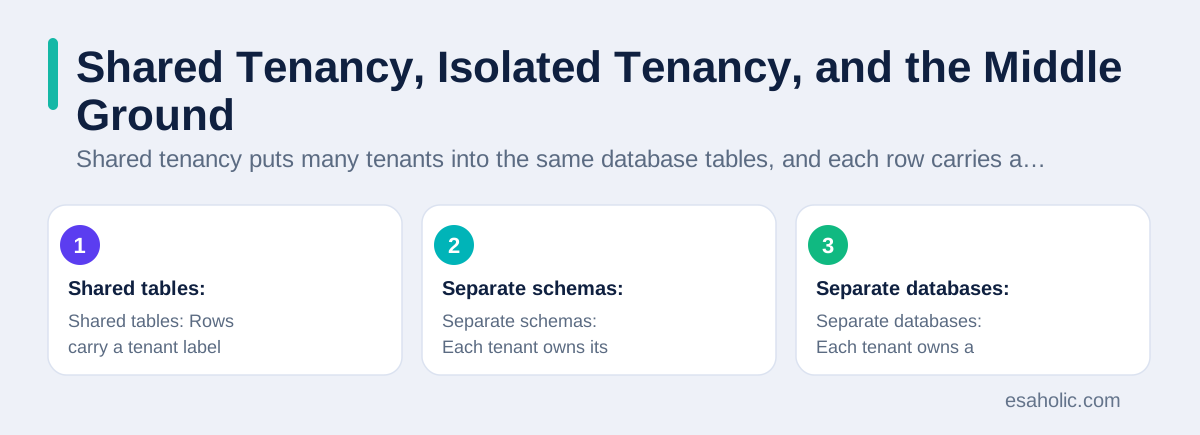
Isolated tenancy gives each tenant a separate database, or at least a separate schema, which is a named grouping of tables inside one database. Each tenant's data lives in its own space, so a missing filter cannot leak rows across tenants, because the rows simply do not share tables. Isolation also lets teams give large tenants their own resources, their own backup schedule, and their own upgrade timing. The cost is more moving parts: more databases to monitor, more backups to manage, and more work when the team changes the table structure, because the change must roll out to every tenant database, one by one.
Most real systems land in the middle, and that middle often works best. A team might put small, similar tenants in shared tables, while giving large or regulated tenants their own databases. Another team might share tables for common data, such as product catalogs, while isolating sensitive records, such as payment details. The middle ground needs clear rules about which tenant goes where, and about how a tenant moves from shared to isolated when it grows. A tenant that starts small and grows into a major account should not need a painful rebuild to gain stronger separation, so plan the move path before you need it, not after a big customer demands it.
| Design | How data is separated | Best for | Main risk |
|---|---|---|---|
| Shared tables | Rows carry a tenant label and queries filter by it | Many small, similar tenants | A missing filter can leak rows |
| Separate schemas | Each tenant owns its own set of tables | Medium tenants that need clearer separation | Schema changes must roll out everywhere |
| Separate databases | Each tenant owns a full database | Large or regulated tenants | More databases to run and back up |
How Containers Change Database Work
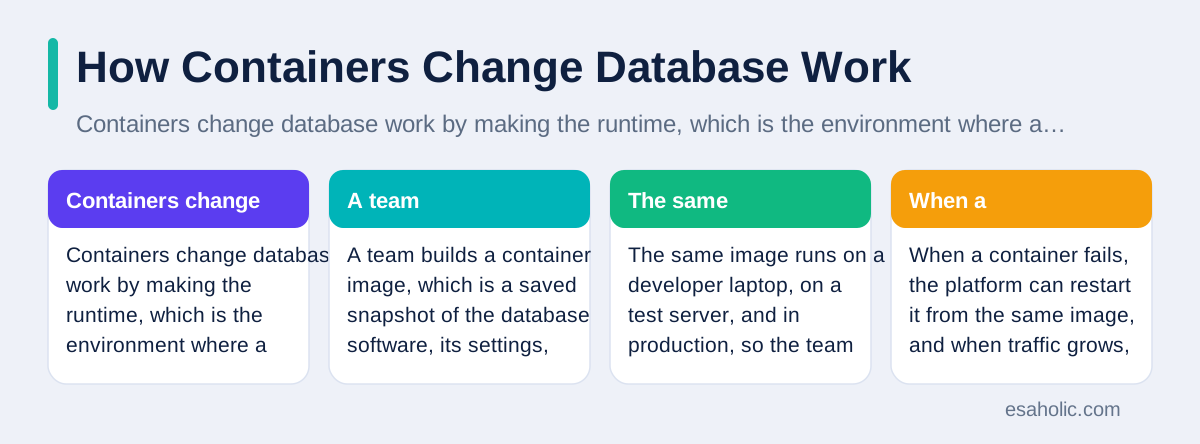
Containers change database work by making the runtime, which is the environment where a program runs, portable and repeatable. A team builds a container image, which is a saved snapshot of the database software, its settings, and its startup steps, and then runs that image wherever it needs a database. The same image runs on a developer laptop, on a test server, and in production, so the team spends less time chasing differences between environments. When a container fails, the platform can restart it from the same image, and when traffic grows, the platform can start more containers to share the load.
Containers also help teams separate work cleanly. A team can run a database proxy, which is a small service that routes database traffic and enforces rules, in its own container, while the database itself runs in another container. A team can run a migration job, which is a planned change to table structure, as a short lived container that runs once and exits. This separation makes each piece easier to test, easier to replace, and easier to reason about when something breaks at two in the morning. The Kubernetes guide to pods, where a pod is the smallest unit that Kubernetes runs, shows how platforms group related containers together, and it helps to read it before you design a container layout.
Containers do not remove the hard parts of running a database. Databases hold state, which means they remember data between restarts, and state needs careful handling that stateless web services do not need. A container that restarts must reconnect to the same stored data, or it will wake up empty, and that stored data usually lives on a persistent volume, which is storage that survives container restarts. Teams must also plan how backups, upgrades, and failover, which is the automatic switch to a backup server when the main server fails, work inside containers. A container platform makes these jobs more consistent, but it does not make them automatic, and a team that treats a database container like a disposable web container will lose data sooner or later.
The container ideas here start with docker containerization, which explains images, containers, and how they are shipped.
Isolation Levels in Practice
Row level isolation keeps tenants in shared tables and relies on a tenant label on every row. Modern databases support row level security, which is a built in rule that filters rows automatically based on who runs the query, so application code does not need to remember the filter every time. The PostgreSQL guide to row security explains how those rules work, and it is worth reading if you choose this level. Row level isolation keeps costs low and onboarding fast, but it demands strong tests, because a single policy mistake can expose rows across tenants. Test with real tenant accounts, test with admin accounts, and test with direct database access, not only through the application.
Schema level isolation gives each tenant a separate schema inside a shared database. The application switches to the tenant schema at the start of each request, and then runs normal queries without a tenant filter, because the tables themselves belong to that tenant. This design gives clearer separation than shared tables, and it still shares one database server, so it costs less than full database separation. The main cost appears during upgrades: a table change must apply to every schema, and a failed upgrade in one schema can leave tenants on different versions. Teams handle this risk with migration tools that track which schemas already received each change, and with a rollback plan, which is a tested way to undo a change, for every migration.
Database level isolation gives each tenant a full database, often in its own container or on its own server. This level gives the strongest separation, the clearest backup boundaries, and the easiest story for auditors, who are independent reviewers that check whether a system meets its promises. It also gives the highest operational load, because connection counts, backup jobs, and monitoring targets all multiply with tenant count. Some teams use a hybrid: they group small tenants into shared databases, and they move a tenant to its own database when it crosses a size, traffic, or compliance threshold. That hybrid keeps costs sane while still giving important tenants the separation they need, and PostgreSQL schema documentation helps teams compare the schema option with the full database option.
Security and the Noisy Neighbor Problem
Security in a multitenant system starts with identity. Every request must carry a trustworthy tenant identity, and the system must check that identity at the database layer, not only in the application layer. If only the application checks identity, then any bug in the application, or any direct database access, can bypass the check. Database rules, network rules that limit which containers can reach which databases, and secrets management, which is the safe storage and rotation of passwords and keys, all need to work together. Secrets should never sit inside container images, because images get copied, shared, and stored in places the team may forget, and a leaked image can leak every secret inside it.
Encryption adds another layer, but teams should understand what it does and does not do. Encryption at rest scrambles stored data so a stolen disk reveals nothing useful, while encryption in transit scrambles data while it travels over the network. Neither feature stops a legitimate query from returning the wrong tenant's rows, because the database decrypts data before it answers. Encryption protects data from outsiders who steal storage or tap the network, while tenant rules protect data from insiders, meaning other tenants and buggy code, that already passed the front door. Both layers matter, and neither replaces the other.
The noisy neighbor problem needs limits, not only hope. Teams can set per tenant limits on connections, on query time, and on heavy report jobs, and they can route reports to read replicas, which are copies of the database that serve read only work, so reports never block live orders. Teams should also measure fairness in plain terms: track slow queries by tenant, track wait time by tenant, and alert when one tenant dominates shared resources. When a tenant repeatedly breaks limits, the honest fix is often to move that tenant to isolated resources, and to charge for that isolation, rather than letting every other customer suffer quietly. Custom software teams that build these systems usually start with limits and monitoring, because a fast system that feels unfair will lose trust faster than a slow system that feels fair.
Scaling, Backups, and Day to Day Operations
Scaling a multitenant system means growing without breaking fairness or separation. Horizontal scaling adds more containers or servers to share work, while vertical scaling gives an existing server more processing power or memory. Horizontal scaling usually suits multitenancy better, because the team can add capacity for busy tenants without disturbing quiet ones, and it can move a heavy tenant to its own containers when needed. The team should still watch connection counts, because each new container can open many database connections, and a database that accepts too many connections will slow down for everyone. Connection pooling, which reuses a small set of database connections across many requests, keeps that count under control, and our guide to faster query habits covers pooling in more detail.
Backups in a multitenant system need tenant level thinking. A backup that restores the whole platform helps after a major failure, but it does not help when one tenant deletes its own data by mistake and asks for just its data back. Teams should test single tenant restores, not only full restores, and they should record how long a single tenant restore takes, because customers will ask, and support teams need an honest answer. Backup retention, which is how long backups are kept, also needs tenant awareness: a tenant that leaves the platform may need its data deleted on a schedule, and a tenant under a legal hold may need its data kept longer than the default. Write these rules down before launch, because improvising them during an incident invites mistakes.
Day to day operations also include upgrades, observability, and tenant onboarding. Observability means logs, metrics, and traces that show what the system does, and in a multitenant system every log line and metric should carry a tenant label, so the team can filter noise and find one tenant's problem fast. Upgrades need a canary step, which means rolling a change out to a small group of tenants first and watching for errors before the wider rollout. Onboarding needs automation, because manual setup for each tenant invites small differences that later become support tickets. A new tenant should get its space, its limits, its backups, and its monitoring through the same automated steps, every time, with no manual shortcuts.
Choosing a Model and Avoiding Common Mistakes
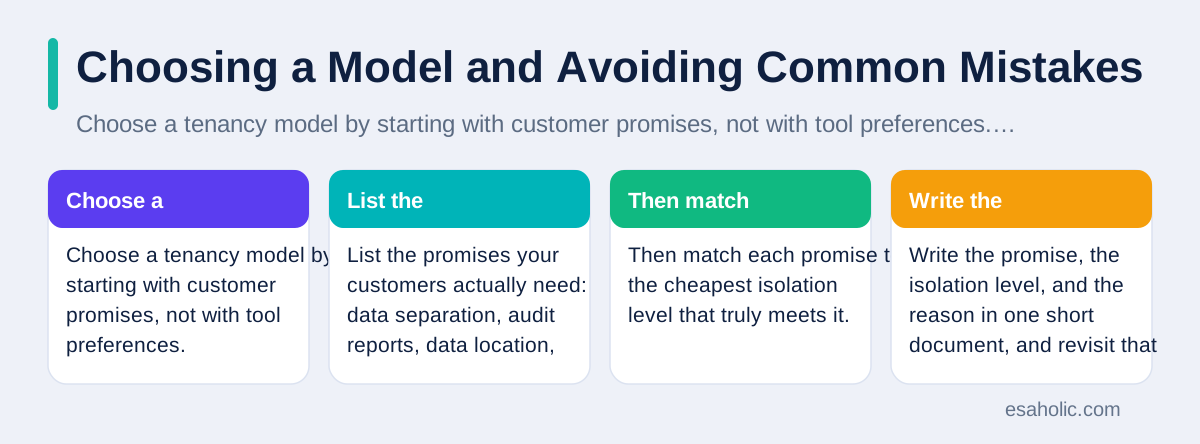
Choose a tenancy model by starting with customer promises, not with tool preferences. List the promises your customers actually need: data separation, audit reports, data location, backup timing, and upgrade control. Then match each promise to the cheapest isolation level that truly meets it. A team that promises full separation but builds shared tables will fail an audit, while a team that builds full separation for customers who never asked for it will pay for complexity it never needed. Write the promise, the isolation level, and the reason in one short document, and revisit that document when a major customer joins or when regulations change.
Watch for five common mistakes. First, teams forget tenant filters in background jobs, reports, and admin tools, even when the main application filters correctly. Second, teams store tenant data in caches, search indexes, and logs without tenant labels, so a cache hit can serve one tenant's data to another. Third, teams test only with one tenant, so cross tenant bugs never appear in testing. Fourth, teams skip single tenant restore tests, so they discover the gap during a real incident. Fifth, teams let tenants share secrets, API keys, or encryption keys, so one leaked key affects everyone. A short checklist that covers jobs, caches, logs, restores, and keys will catch most of these mistakes before customers do.
Finally, keep the exit path in mind. Tenants grow, merge, split, and leave, and the system should handle each event without a rebuild. A tenant move from shared to isolated should follow a tested procedure, with a verification step that counts rows before and after the move. A tenant departure should follow a tested deletion procedure, with proof that backups also expire on schedule. A system that handles growth and departure gracefully earns trust, because customers notice how a platform treats them when they scale up, and how carefully it handles their data when they scale down. The related guide to pipeline and warehouse work shows how data teams organize the movement and storage behind these decisions, and the guide to storage choices for growing teams covers where files and backups can live.
Conclusion
Multitenant database containers give teams a practical way to serve many customers from one platform, with containers adding portability and repeatability to database work. Shared tenancy keeps costs low for many small tenants, isolated tenancy gives stronger separation for large or regulated tenants, and a hybrid design often gives the best balance. Containers help with consistency and scaling, but they do not replace database rules, access controls, encryption, limits, and tested restores. Start from customer promises, choose the cheapest isolation level that truly meets them, test cross tenant access on purpose, and plan tenant moves and departures before you need them. A multitenant system built that way stays fair, stays safe, and stays affordable as it grows.
Frequently Asked Questions
What does multitenant mean in a database?
Multitenant means one system serves many customers, called tenants, while keeping each tenant's data separate. The tenants share the platform and often share servers, but each tenant should see only its own records, settings, and files.
Do containers alone make tenant data safe?
No, containers alone do not make tenant data safe. A container packages an application and its settings, but safety also needs database rules, access controls, network limits, encryption, and tests that prove one tenant cannot read another tenant's data.
When should a team choose isolated tenancy instead of shared tenancy?
Choose isolated tenancy when customers need strict separation, custom rules, or proof for audits, or when one tenant is large enough to affect others. Shared tenancy suits many small, similar customers where lower cost matters more than full separation.
Written by Umar Abbas
Founder, Principal AI Architect and Operator
Umar Abbas is the founder of Esaholic and a principal AI architect who designs reliable large scale AI systems for regulated industries.
Reviewed by Amir Iqbal
Senior AI Systems Architect and Lead Technical Reviewer
Amir Iqbal is a senior AI systems architect at Esaholic who reviews code and architecture and keeps live AI systems fast and reliable.
Relevant blogs
What Is a Distributed System? A Simple Guide
How systems spread work across many computers and stay available when one part fails.
Data Engineering Services Explained Simply
What pipeline, warehouse, and integration work covers, and how teams choose help wisely.
Database Optimization: A Practical Guide
Indexes, query tuning, caching, and monitoring habits that make databases faster and calmer.
Cloud Storage Alternatives Explained Simply
Storage types, cost comparison, security, and migration planning in plain language.
Back to all blog guides · Back to Data, Cloud and Databases guides · Explore Custom Software Development Services