
What Is a Microcontroller? A Plain Guide
Press start on a washing machine and it fills, heats, washes, rinses, and spins in the right order, without you standing beside it. Tap a microwave keypad and it heats for exactly two minutes, then beeps and stops. Turn a car key, or press a start button, and dozens of small systems wake up, check themselves, and work together. Behind almost every one of these quiet, reliable actions sits a microcontroller, which is a tiny chip that runs one job, over and over, with very little power. You rarely see it, you never think about it, and that invisibility is the point: it does its job so steadily that the appliance feels simple, even though a small computer inside is making decisions many times each second.
A microcontroller is best understood as a small, self contained computer on a single chip. Self contained means the chip holds the parts it needs to work: a processor, which is the part that follows instructions; memory, which is storage for the program and for short term data; and input and output pins, which are small connection points that let the chip read sensors and switch other parts on and off. A full desktop computer spreads those parts across many chips and boards, and runs many programs at once. A microcontroller packs them together, runs one program, and focuses on control: read a sensor, compare the reading with a rule, and switch something, then repeat.
This guide explains microcontrollers in plain language, with real examples from appliances, cars, toys, and beginner boards, and without invented specifications. You will learn what sits inside the chip, how it differs from the processor in a phone or laptop, how a beginner board makes it friendly, where microcontrollers appear in daily life, how code runs on one, and what limits and safety rules to respect. By the end, you will be able to open up a mental picture of any appliance and point to the quiet chip that keeps its timing, its temperature, and its safety checks in order.
Inside the Chip: Four Parts Working Together
Think of a microcontroller as a tiny factory with four departments that share one small building. The processor, often shortened to CPU, which stands for central processing unit, is the worker that follows instructions one step at a time: add two numbers, compare a reading with a limit, jump to a different step if a button was pressed. It is not powerful by phone standards, but it does not need to be, because its job is narrow and its steps are simple. Speed matters less than reliability: the same steps must run the same way every time, for years, without crashing.
Memory comes in two main forms, and the difference is worth learning. Program memory, often called flash, holds the program even when power is off, much like a book stays on a shelf when you leave the room. Working memory, often called RAM, which stands for random access memory, holds short term data while the program runs, such as the current temperature reading or how many seconds remain in a cycle, and it clears when power goes. A microcontroller needs only a small amount of both, because its program is small and its data is simple, and that smallness is what keeps the chip cheap and power efficient.
The third and fourth parts are what turn a chip into a controller. Input and output pins, often shortened to I/O, are the chip's hands and senses: input pins read signals from buttons, temperature sensors, light sensors, and motion sensors, while output pins send signals to lights, buzzers, motors, and displays. Built in helpers, called peripherals, handle common jobs such as timing, counting pulses, reading an analogue signal, which is a smooth signal such as a temperature that rises gradually, and talking to other chips over a short wired link. Together, these parts let one small chip sense the world, decide, and act, without help from a larger computer.
Microcontroller, Microprocessor, and Computer: What Is Different?
People often confuse three words, so here is a clean separation. A microprocessor is the main processor chip in a phone or a laptop: it is fast, powerful, and built to run many programs under an operating system, which is the large program that manages files, screens, and apps. It needs separate memory chips, separate storage, and a fair amount of power, and it would be wasteful inside a toaster. A microcontroller is the opposite trade: it is slower and smaller, but it already contains memory and input and output on the same chip, needs very little power, costs far less, and starts working almost at once when power arrives.
A full computer, such as a laptop, combines a microprocessor with a screen, a keyboard, storage, a battery, and an operating system, and it invites the user to install new apps, browse, and multitask. A microcontroller system, such as a washing machine control board, has no screen for browsing, no app store, and no user who installs software; it has one program, written by the maker, that runs from the moment power arrives until power leaves. That single purpose design is a strength, not a weakness, because fewer programs mean fewer ways to fail, less power use, and behaviour that testers can check far more thoroughly than they could check a general purpose computer.
A useful comparison is a kitchen. A microprocessor is like a head chef who can cook any dish but needs a full kitchen, staff, and time to get started. A microcontroller is like a dedicated coffee machine: it makes one drink, it makes it the same way every time, it needs little space and little power, and it is ready in seconds. You would not ask a coffee machine to run a restaurant, and you would not ask a head chef to make one cup of coffee in a tiny caravan. Choosing the right chip means matching the job: many programs and rich screens call for a microprocessor, while one steady control job calls for a microcontroller. Our guide to what an operating system kernel does explains the large program that microprocessors rely on, which microcontrollers usually skip entirely.
Arduino Style Boards: The Friendly Way In
A bare microcontroller chip is small, hard to hold, and needs extra parts for power and programming, which is why beginners rarely start with the chip alone. A beginner board solves that problem by placing the chip on a small circuit board with helpful extras: a USB socket for power and programming, a voltage regulator, which is a part that keeps power steady, clearly labelled pins, and often a built in light for testing. Arduino style boards, named after a popular family of open beginner boards, are the best known example, and many similar boards follow the same friendly pattern with different chips and layouts.
The workflow on a beginner board is simple enough for a first timer. You write a short program on a computer, using free software and plain commands such as read a pin, wait a second, or switch a light on. You connect the board with a USB cable, send the program to the board, and the board runs it at once, and keeps running it each time it gets power, even without the computer attached. If the program is wrong, you change it, send it again, and test again, which makes learning fast and forgiving. A first project might light a lamp when a room gets dark, or beep when a plant pot gets dry, and both projects teach the same core loop that runs a washing machine.
Beginner boards also teach good habits that transfer to real products. You learn to check wiring before powering a circuit, to keep power and signal wires tidy, to test one new part at a time, and to read a datasheet, which is the maker's document that lists safe voltages, pin meanings, and limits for a part. The community around these boards shares wiring diagrams, example programs, and troubleshooting help, so a stuck beginner can usually find someone who solved the same problem before. For a team, a board is also a fast prototype tool: how teams turn an idea into a testable model in days shows why a quick board test beats a long design debate when the goal is to learn what works.
Microcontrollers in Home Appliances
Walk through a home and count the microcontrollers, and the total surprises most people. A washing machine uses one to time fills, washes, rinses, and spins, to watch water level and temperature, and to stop safely if a door opens or a load goes out of balance. A microwave uses one to read the keypad, count down time, control power level, and beep at the end. A fridge uses one to hold temperature steady, run the fan, and warn if a door stays open. An oven uses one to hold heat, time cooking, and manage safety cutoffs. A coffee machine, a dishwasher, an air conditioner remote, and a television remote all rely on the same quiet pattern.
Each appliance example shows why a dedicated chip beats a general computer here. The program is fixed, the inputs are few, such as a door switch, a temperature sensor, and a keypad, and the outputs are few, such as a heater, a motor, and a display. The chip must work for years, survive heat, vibration, and power cuts, and recover safely when power returns. A fridge that forgot its temperature setting after every power cut would be useless, so makers store important settings in memory that survives power loss, and they design the program to restart in a safe state, such as cooling again, rather than in a random state.
Microcontrollers in Cars, Toys, and Industry
A modern car carries dozens of microcontrollers, each near the system it controls. One manages engine timing, which is the precise moment fuel burns, so the engine runs cleanly and efficiently. Others manage brakes that adjust wheel by wheel to stop skids, airbags that must fire in milliseconds after a crash sensor trips, door locks, windows, lights, climate control, and parking sensors that beep as an obstacle nears. Splitting the work across many small chips keeps each job fast and local: a brake chip does not wait for an entertainment chip to finish playing music before it reacts.
Toys, games, and gadgets use the same idea on a smaller scale. A remote controlled car reads joystick signals and drives motors. A talking toy plays sounds when a button is pressed. A fitness band, which is a small wearable, reads motion and heart rate with a tiny chip that sips power so the battery lasts days. A TV remote sends a coded blink of infrared light, which is light just beyond what eyes can see, and the TV's own microcontroller decodes that blink into a channel change. In each case, the chip's job is narrow, the power budget is tight, and the user never needs to know a chip is involved.
Industry extends the pattern to machines, meters, and safety systems. Factory machines use microcontrollers to time motors, read position sensors, and stop safely if a guard opens. Utility meters use them to measure use and report readings. Medical devices such as infusion pumps, which deliver fluids at a controlled rate, rely on microcontrollers for precise timing and alarms, under strict testing rules, because a timing error could harm a patient. The common thread is trust through simplicity: one chip, one program, clear inputs, clear outputs, and thorough testing for the exact job it must do. For the connected side of these systems, see everyday connected device examples from homes to cities, where microcontrollers often serve as the sensing and acting heart inside a larger networked device.
How Code Runs on a Microcontroller
Code on a microcontroller follows a loop that is easy to picture. When power arrives, the chip runs a short setup once: it sets pin directions, starts timers, and reads saved settings. Then it enters a main loop that repeats forever: read inputs, decide based on rules, set outputs, wait a tiny amount of time, and repeat. A thermostat loop might read temperature, compare it with the target, switch the heater on or off, update a small display, and repeat many times each second. A washing machine loop might check water level, door state, and elapsed time, then move to the next step when the rules say so.
Two ideas make that loop reliable. The first is interrupts, which is a plain word for a signal that pauses the main loop at once to handle something urgent, such as a button press or a timer that just finished. The chip handles the urgent event, then returns to the loop, so urgent events never wait for a slow step to finish. The second is timers, which are built in counters that track time without the processor having to watch a clock, so a program can time a wash cycle, blink a light, or measure a pulse accurately while doing other work. Together, loops, interrupts, and timers let a small chip juggle several small jobs without the complexity of a full operating system.
Programmers write microcontroller code in languages such as C, which is a long lived programming language close to how hardware works, or in friendlier languages and block tools made for beginners, and the code is then translated into a form the chip can run directly. That translated program is stored in the chip's program memory, so it survives power loss and runs at once on startup. Updates are possible, often over USB or a network, but makers update appliance and car chips cautiously, because a failed update could leave a safety system unusable. That caution is a feature: a microcontroller program should change rarely, and only after testing, because the cost of a mistake in a brake, a heater, or a pump is far higher than the cost of a mistake in a phone game.
Choosing a Board and Building a Safe First Project
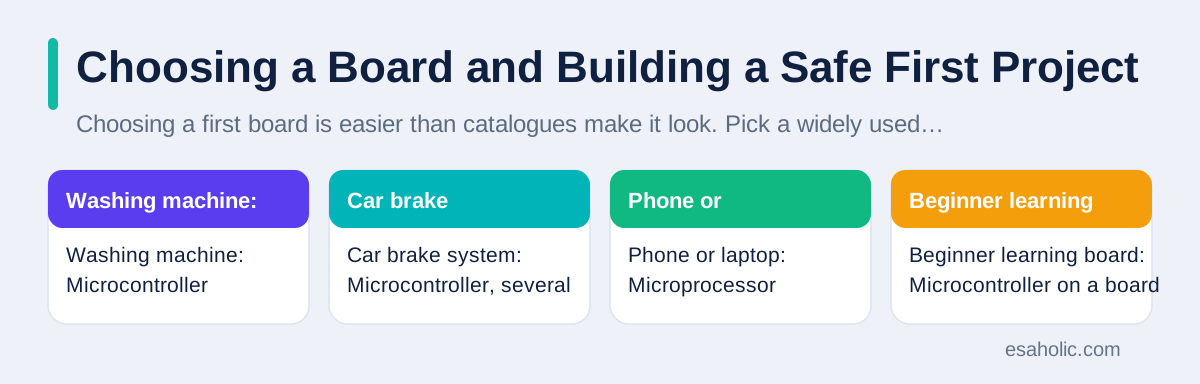
Choosing a first board is easier than catalogues make it look. Pick a widely used beginner board with a large community, clear pin labels, USB programming, and many worked examples, rather than the cheapest or most powerful board you can find. Power and speed matter less for learning than good documentation, which is a plain word for clear guides and examples, and a community that answers beginner questions. If you plan a battery project, check power use, and if you plan a networked project, check whether the board includes Wi-Fi or whether you need a separate radio part.
A safe first project follows four steps. First, pick one sensor and one output, such as a light sensor and a lamp, or a button and a buzzer, and write the goal in one sentence. Second, wire the circuit with power off, double check each connection against a diagram, and keep voltages low, using the board's own power and the small voltages its guides recommend, never mains power, which is the high voltage from a wall socket, directly. Third, upload a tiny test program that switches the output on and off, and confirm that test works before adding the sensor logic. Fourth, add one new part at a time, testing after each addition, so when something fails you know which change caused it.
Safety rules stay simple and strict. Never work on mains powered circuits as a beginner, and never bypass a fuse, a guard, or a safety switch to make a project work. Keep water away from powered boards, keep small parts away from young children, and stop and check wiring if a part gets hot, smells odd, or behaves unexpectedly. For work projects, the same discipline scales up: custom software work and AI development services both start from a tested prototype, and a microcontroller prototype that proves a control loop on a bench is worth far more than a polished plan that was never wired and tested. The official Arduino site and the broad overview of microcontrollers on Wikipedia are good starting points for boards, guides, and background.
| Device | Main chip type | Why that chip fits |
|---|---|---|
| Washing machine | Microcontroller | One fixed program, low power, long life |
| Car brake system | Microcontroller, several | Fast local response, safety testing |
| Phone or laptop | Microprocessor | Many apps, rich screens, multitasking |
| Beginner learning board | Microcontroller on a board | Simple wiring, USB, friendly examples |
| Factory robot arm | Microcontroller plus larger controllers | Precise timing plus higher level planning |
Limits, and Where Microcontrollers Are Heading
Microcontrollers have honest limits, and knowing them prevents bad design choices. They cannot run a web browser, edit video, or handle large data sets, because they have little memory and modest speed. They struggle with tasks that need heavy maths, such as large AI models, although small models for simple recognition, such as spotting a keyword or a gesture, can run on newer low power chips with careful design. They also depend on good sensors: a chip can only act on what its sensors report, so a dirty, misplaced, or failed sensor produces wrong actions, no matter how good the program is.
Security is a growing limit to respect. A microcontroller in a connected device can be attacked if its software is old, its password is weak, or its network link is open, and a compromised chip could report false readings or switch outputs wrongly. Makers now add secure startup checks, signed updates, which are updates verified as coming from the true maker, and encrypted links, which is a plain word for scrambled messages that only the intended receiver can read, to reduce that risk. Buyers should ask how long a connected product will receive updates, and what it does if the network fails, because a lock, a heater, or a pump must fail safe, which means it must move to a safe state, not a random one, when something goes wrong.
Conclusion
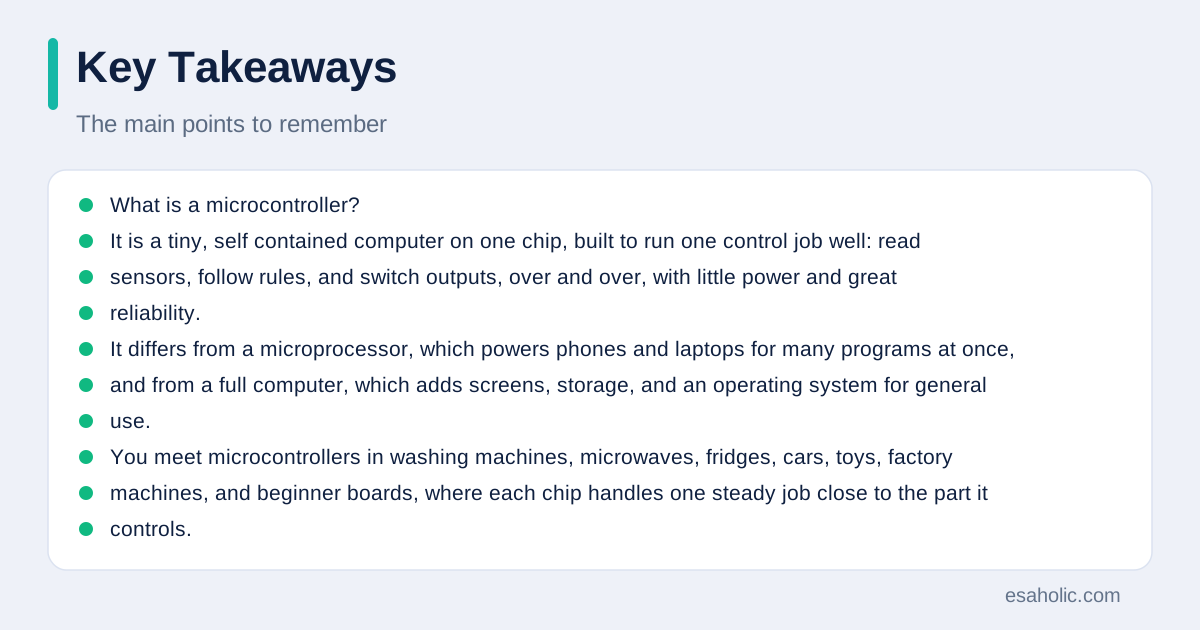
What is a microcontroller? It is a tiny, self contained computer on one chip, built to run one control job well: read sensors, follow rules, and switch outputs, over and over, with little power and great reliability. It differs from a microprocessor, which powers phones and laptops for many programs at once, and from a full computer, which adds screens, storage, and an operating system for general use. You meet microcontrollers in washing machines, microwaves, fridges, cars, toys, factory machines, and beginner boards, where each chip handles one steady job close to the part it controls. Beginner boards make that world friendly, with USB programming, labelled pins, and a community of examples, and a safe first project needs only one sensor, one output, low voltages, and patient testing one part at a time. Its limits are real, little memory, modest speed, and dependence on good sensors and timely updates, but those limits are also its virtue: a simple, tested program that does one job right, for years, without demanding attention. The next time an appliance finishes its cycle exactly on time, you will know the quiet chip to thank. For where these chips appear in daily life, internet of things examples show the same sense, send, decide, and act loop in homes, farms, and factories.
Frequently Asked Questions
Is a microcontroller the same as a computer?
No. A microcontroller is a tiny, low power chip built to run one job, such as controlling a washing machine cycle, while a computer uses a far more powerful processor, much more memory, and an operating system to run many programs at once. The microcontroller wins on cost, size, and power use, while the computer wins on flexibility and speed.
Do I need experience to start with a microcontroller board?
No. Beginner boards are made for first timers, with free software, many worked examples, and a large community that shares wiring diagrams and code. Start with one sensor and one output, such as a light that switches on when a room gets dark, and add one new part at a time.
Why do cars and appliances use so many microcontrollers?
Because each job is safer and simpler when a dedicated chip handles it close to the part it controls. Brakes, airbags, engine timing, door locks, and climate control each need fast, reliable responses, and a small chip near each system can react in milliseconds without waiting for a central computer that is busy with other work.
Written by Amir Iqbal
Senior AI Systems Architect and Lead Technical Reviewer
Amir Iqbal is a senior AI systems architect at Esaholic who leads production readiness checks for agents, model serving, and data systems before they reach real users.
Reviewed by Umar Abbas
Founder, Principal AI Architect and Operator
Umar Abbas is the founder of Esaholic and a principal AI architect who designs reliable large scale AI systems for regulated industries.
Relevant blogs
What Is the Metaverse? A Plain Guide for Beginners
Virtual worlds, avatars, and the tools behind them, plus honest limits, costs, and safety tips.
Internet of Things Examples: A Plain Guide
Real, everyday connected device examples from homes, health, farms, factories, and cities.
What Is a Kernel? A Simple OS Guide
What an operating system kernel does, how monolithic and microkernel designs differ, and why it matters.
Rapid Prototyping: A Simple Guide to Fast Product Tests
How teams turn an idea into a testable model in days and learn fast without wasting budget.